Movelist

Streamlining the Moving

Experience

Product Design

Logistics

Project Overview

MoveList is a platform designed for moving companies to deliver a more transparent, organized, and stress-free moving experience for their customers. It offers tools for customer management, pre-move surveys, real-time communication, and detailed inventory collection — all in one seamless application.

Problem Statement

Traditional moving workflows often rely on manual data collection, scattered communications, and poor visibility into what customers plan to move. This leads to miscommunication, delays on moving day and poor customer satisfaction. Moving companies needed a platform to collect accurate inventory information ahead of time, communicate efficiently with customers, and streamline internal management of surveys and clients.

Design Scope

The goal of this project was to design an intuitive and efficient platform for moving companies to manage their customers and streamline the pre-move process. I was responsible for delivering end-to-end product design for both the admin interface and the customer-facing experience, from onboarding to inventory submission and communication.

Admin - Customer Management
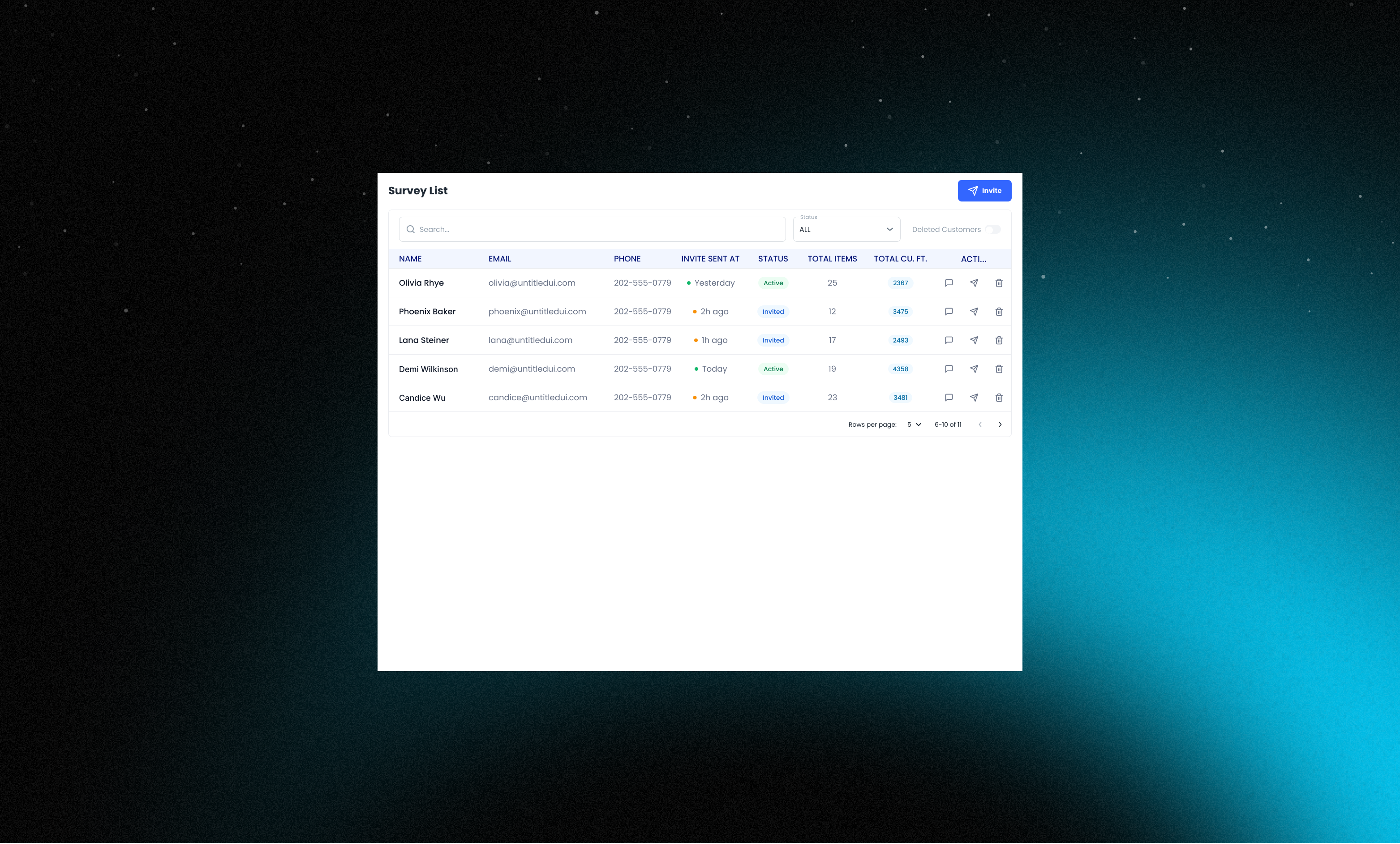
The Customer Management module allows admins to efficiently oversee and interact with customers throughout the moving process. Admins can send invites to customers directly from the application. Once a customer signs up and completes the inventory survey, the admin gains visibility into key details such as the total number of items and the calculated cubic feet of the move. The system also provides filtering capabilities to quickly locate specific users and includes access to a list of deleted customers for reference or restoration if needed.

As part of designing various modules for the product, one key stakeholder requirement was to ensure a smoother onboarding process that reduces user drop-off and frustration. To improve the onboarding experience, I focused on clarity and transparency:

  • Step Indicator on Desktop:
    I introduced a clear, visual step indicator on desktop resolutions, showing users how many steps were involved in the onboarding process.

  • Purpose:
    This helped set expectations early, reduced anxiety around completion time, and made the process feel more manageable.

Admin - Inventory Details

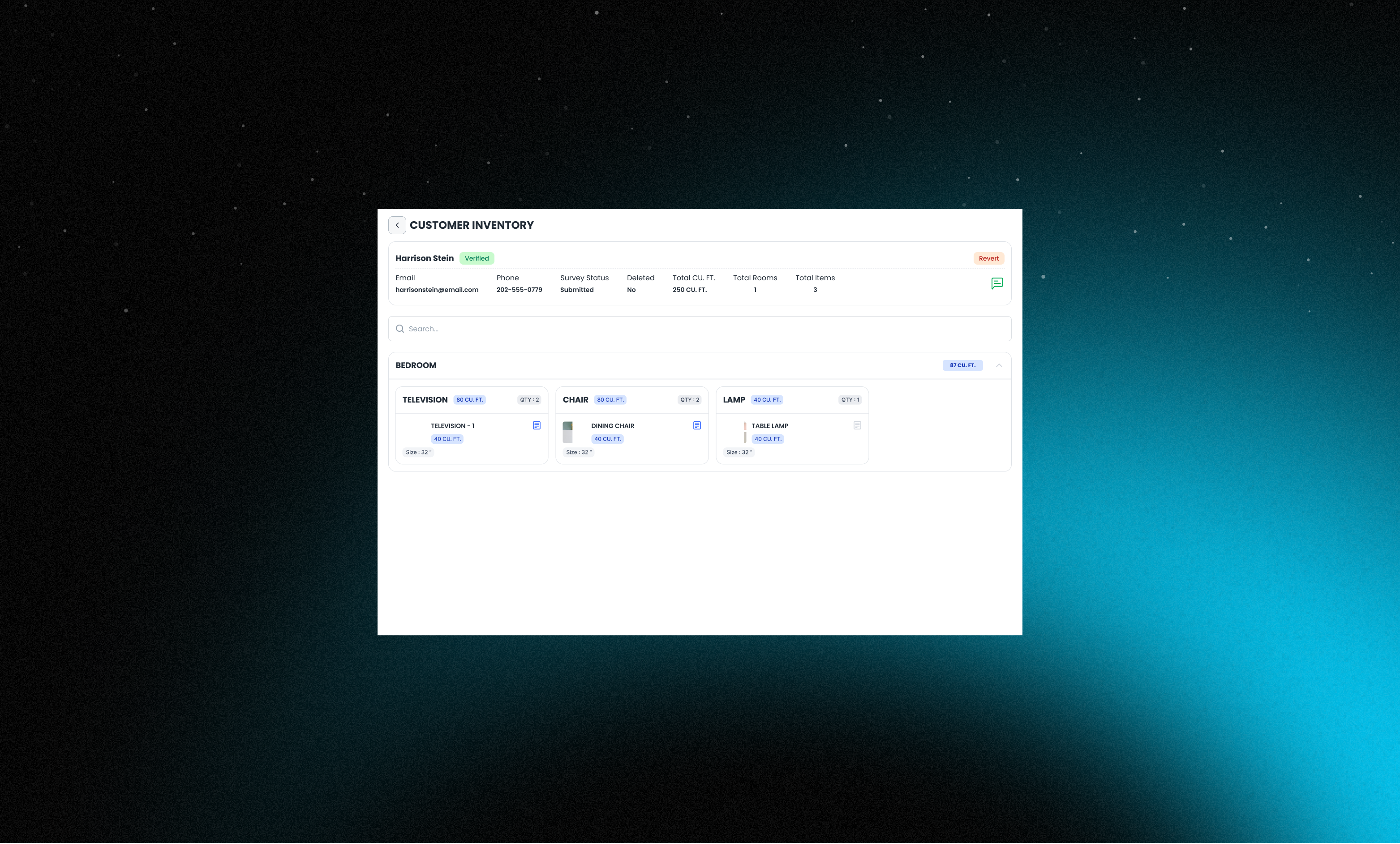
The Inventory Details module provides admins with a comprehensive view of each customer's submitted inventory. By clicking on a specific customer row in the main table, the admin can access a detailed breakdown of the items to be moved, organized by room and accompanied by any uploaded images. If there are any ambiguities or the admin requires further clarification, they can initiate a conversation with the customer directly from the inventory details page. This integrated messaging ensures quick resolution of doubts and helps maintain clear communication without needing to switch platforms.

Designing the Make Reservation flow was a key stakeholder requirement. The goal was to ensure users could easily focus on the discounted fuel price, quickly understand the amenities offered, and clearly see their potential savings—all without overwhelming them.

To balance clarity and detail, I designed two components:

  1. Compact View:

    • Displays discounted price, original price, and key amenities (like parking, shower, food, etc.).

    • Designed to help users quickly scan multiple options.

  2. Expanded View:

    • Includes everything from the compact view.

    • Adds an action button to make a reservation.

    • Shows truck stop contact details.

Admin - Settings

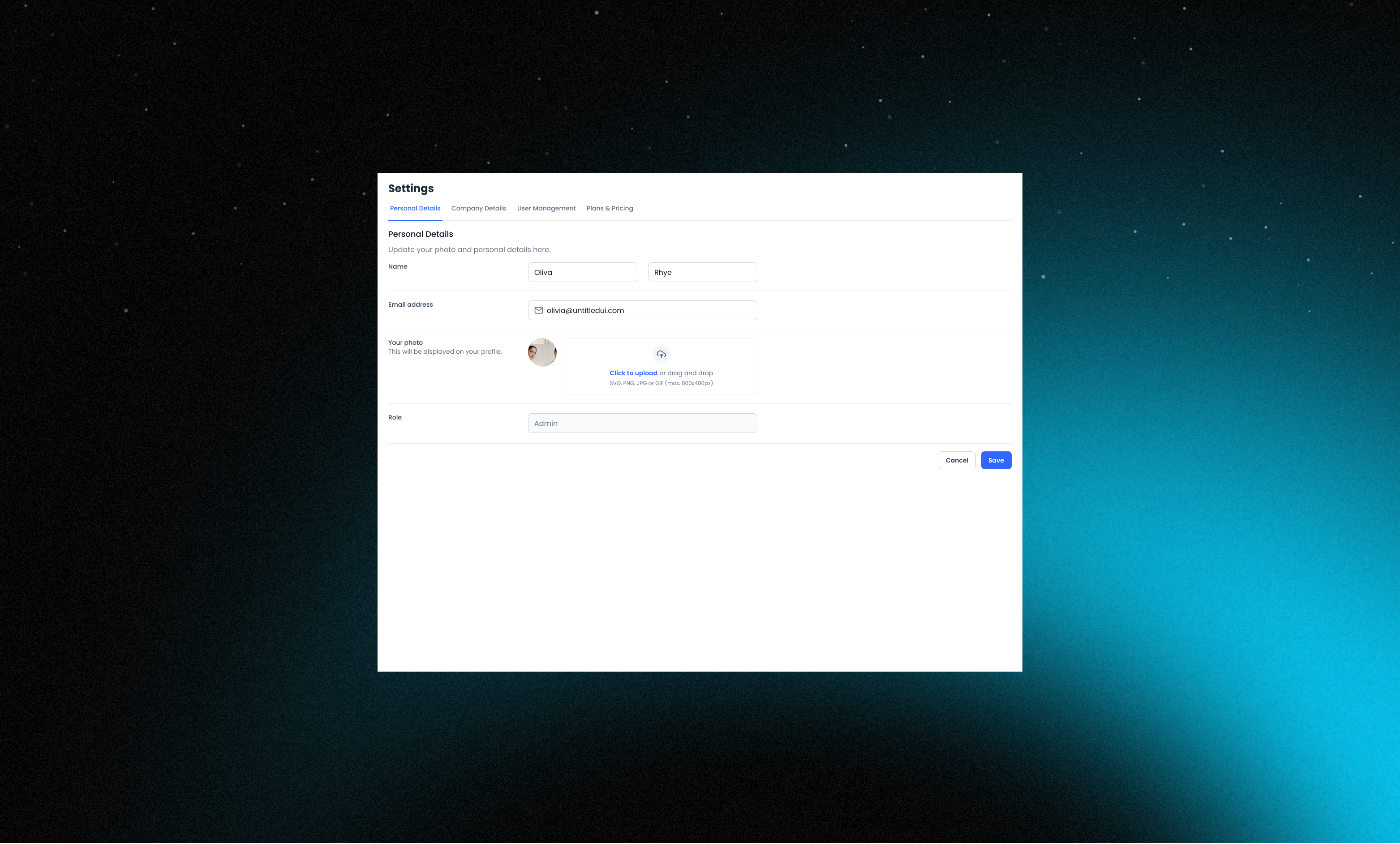
The Settings module provides a centralized space for admins to configure and manage essential information related to their account and organization. This includes access to Personal Details and Company Details, where users can update contact information and business-specific data. The User Management section allows admins to manage internal team members who have access to the platform. Additionally, the Plans and Pricing section gives visibility into the current subscription plan, with options to upgrade or modify as needed. This module ensures that all administrative controls are easily accessible and organized in one place for efficient platform management.

The Settings module provides a centralized space for admins to configure and manage essential information related to their account and organization. This includes access to Personal Details and Company Details, where users can update contact information and business-specific data. The User Management section allows admins to manage internal team members who have access to the platform. Additionally, the Plans and Pricing section gives visibility into the current subscription plan, with options to upgrade or modify as needed. This module ensures that all administrative controls are easily accessible and organized in one place for efficient platform management.

Customer - Inventory

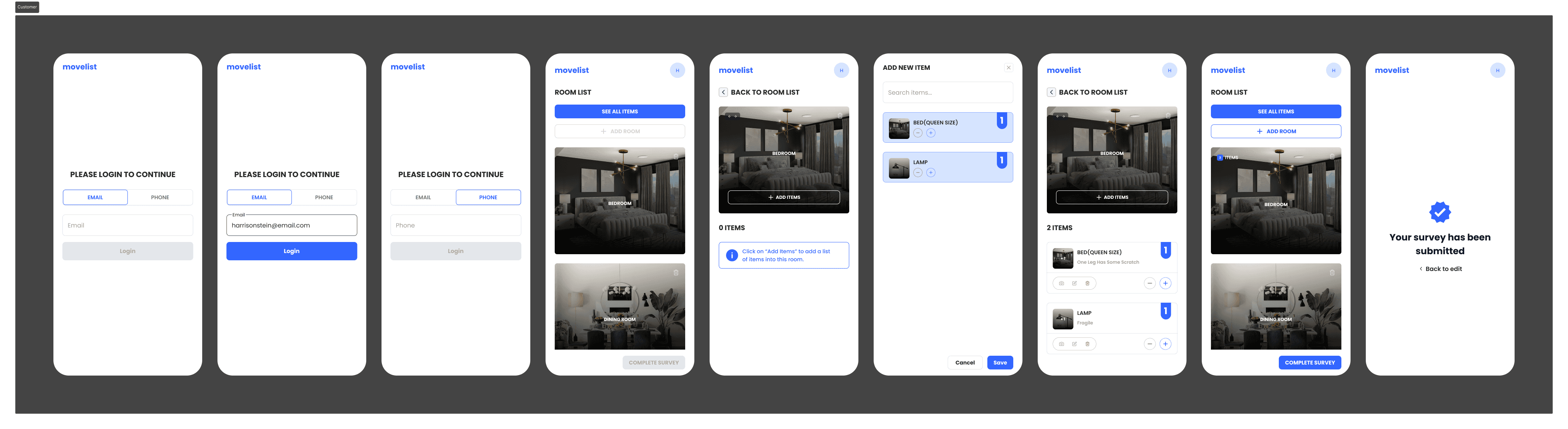
The Inventory List module enables customers to first select from a list of rooms (e.g., Bedroom, Kitchen, Living Room) and then add items specific to each room. Customers can optionally upload images of each item and add custom notes, providing additional context such as fragility or handling instructions. Originally planned as a post-MVP feature, the ability to upload images for inventory items was prioritized and integrated into the MVP itself — recognizing its critical value to the moving workflow.

The Inventory List module enables customers to first select from a list of rooms (e.g., Bedroom, Kitchen, Living Room) and then add items specific to each room. Customers can optionally upload images of each item and add custom notes, providing additional context such as fragility or handling instructions. Originally planned as a post-MVP feature, the ability to upload images for inventory items was prioritized and integrated into the MVP itself — recognizing its critical value to the moving workflow.

Outcomes

The MVP designs were successfully handed off to the development team. Beyond delivering the MVP, this project gave me valuable insight into the moving industry — particularly the operational challenges moving companies face and how thoughtful design can help reduce friction for both businesses and customers.

The MVP designs were successfully handed off to the development team. Beyond delivering the MVP, this project gave me valuable insight into the moving industry — particularly the operational challenges moving companies face and how thoughtful design can help reduce friction for both businesses and customers.

Admin

customer

Get in touch

Send a DM and I'll get back to you asap.

Let's build something together!

Crafted with ☕️ and 🎧

Get in touch

Send a DM and I'll get back to you asap.

Let's build something together!

Crafted with ☕️ and 🎧

Lights on·off

Create a free website with Framer, the website builder loved by startups, designers and agencies.