Fragmento
Design Token Management Platform
SaaS
Design Systems
Product Design
Overview
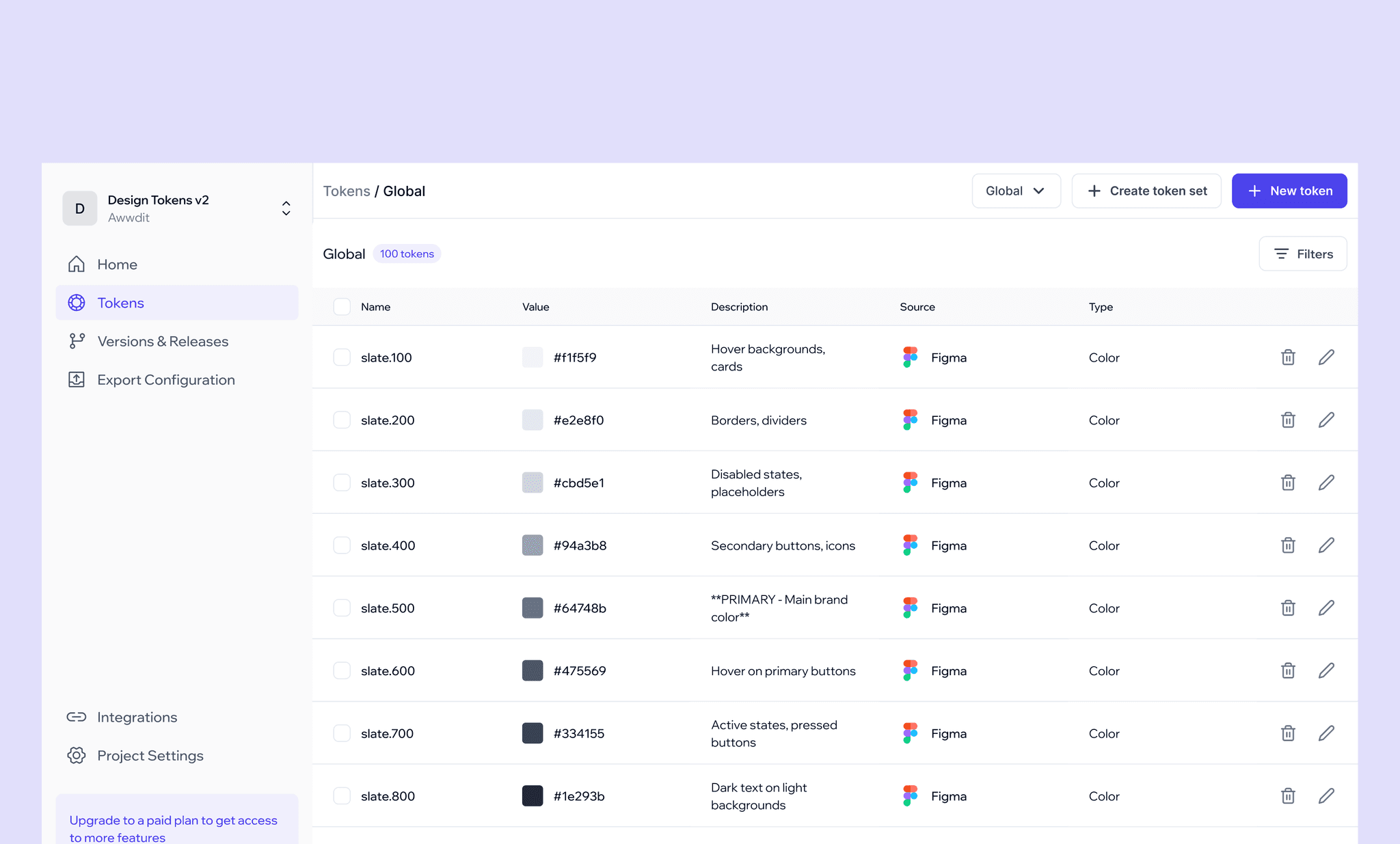
Fragmento is a design token management platform that bridges the gap between designers and developers by syncing platform-specific tokens to the codebase, generating component code, and keeping the entire team in the loop.
The Problem
Designers spend significant time maintaining consistency between Figma and code, yet inconsistencies still happen. Token values get lost in handoff, components are implemented differently than designed, and there is no reliable way to notify developers when changes are made, turning what should be a smooth workflow into a constant back and forth.
Validating The Problem
To validate the problem before building anything, I spoke with designers and developers across different team sizes. A few patterns emerged consistently.
What designers say
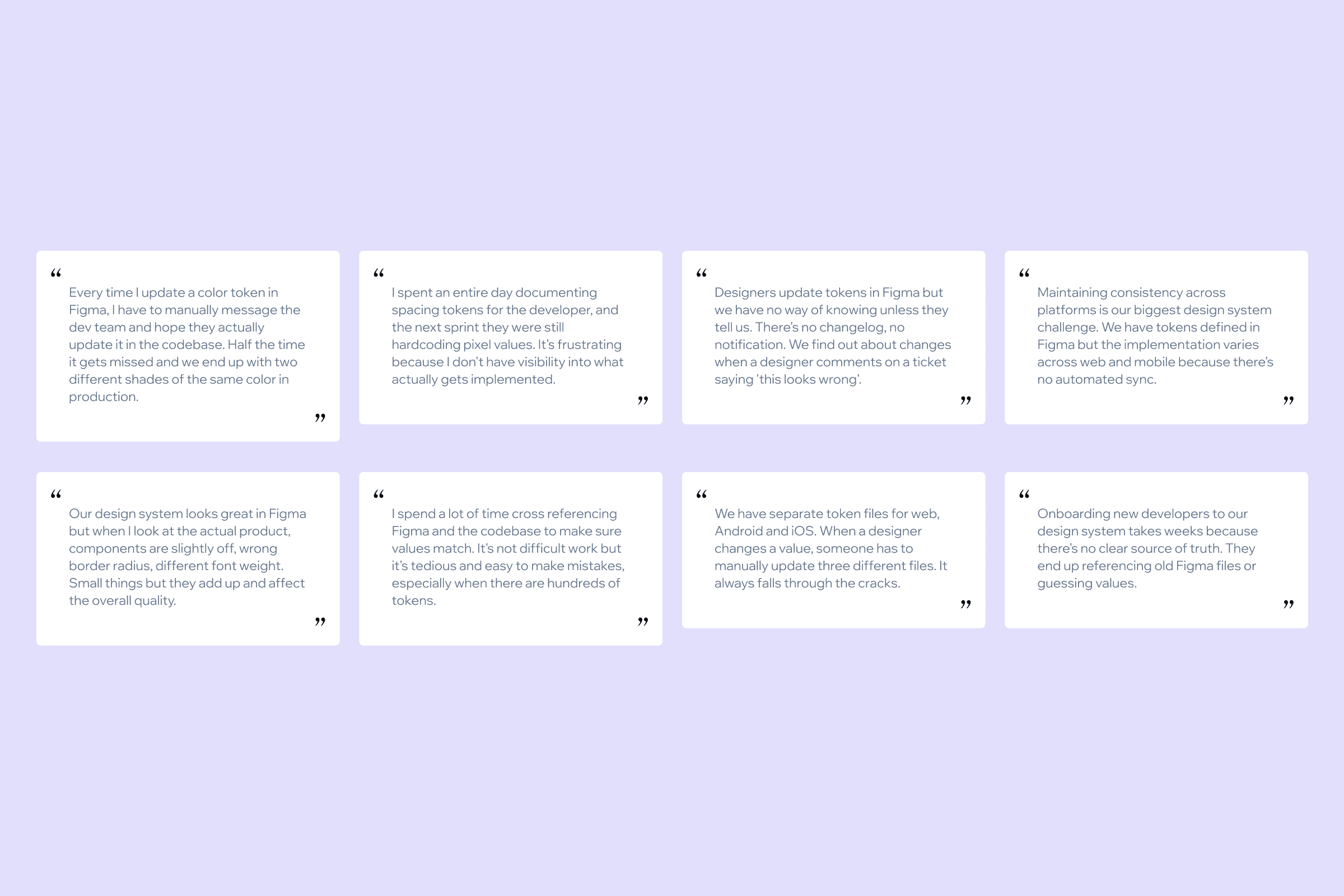
"Every time I update a color token in Figma, I have to manually message the dev team and hope they actually update it in the codebase. Half the time it gets missed and we end up with two different shades of the same color in production."
"I spent an entire day documenting spacing tokens for the developer, and the next sprint they were still hardcoding pixel values."
"Our design system looks great in Figma but when I look at the actual product, components are slightly off, wrong border radius, different font weight. Small things but they add up and affect the overall quality."
What developers say
"Designers update tokens in Figma but we have no way of knowing unless they tell us. There's no changelog, no notification. We find out about changes when a designer comments on a ticket saying this looks wrong."
"It's a time consuming process for us to copy all the tokens. The designer creates components in Figma but does not maintain proper documentation for reference. If that part gets smoother, we can rather focus on API integrations and implementing functionalities."
"Importing a library and making changes to pre-built components takes a lot of time especially when it's a custom component."
"I spend a lot of time cross referencing Figma and the codebase to make sure values match. It's not difficult work but it's tedious and easy to make mistakes, especially when there are hundreds of tokens."
"We have separate token files for web, Android and iOS. When a designer changes a value, someone has to manually update three different files. It always falls through the cracks."
"Here developers can't push anything to the codebase before reviewing it internally."
"Sometimes I want to see the relation between tokens. If a semantic token is used for a button, I also want to know where else this token is used for getting more clarity on the usage of component specific tokens. We don't have a clear picture of what tokens are created in Figma."
What design leads and managers say
"Maintaining consistency across platforms is our biggest design system challenge. We have tokens defined in Figma but the implementation varies across web and mobile because there's no automated sync."
"Onboarding new developers to our design system takes weeks because there's no clear source of truth. They end up referencing old Figma files or guessing values."
Competitive Analysis
Two tools were already in this space. Token Studio and Supernova. I did a detailed analysis of both before deciding to work on the solution.
Token Studio
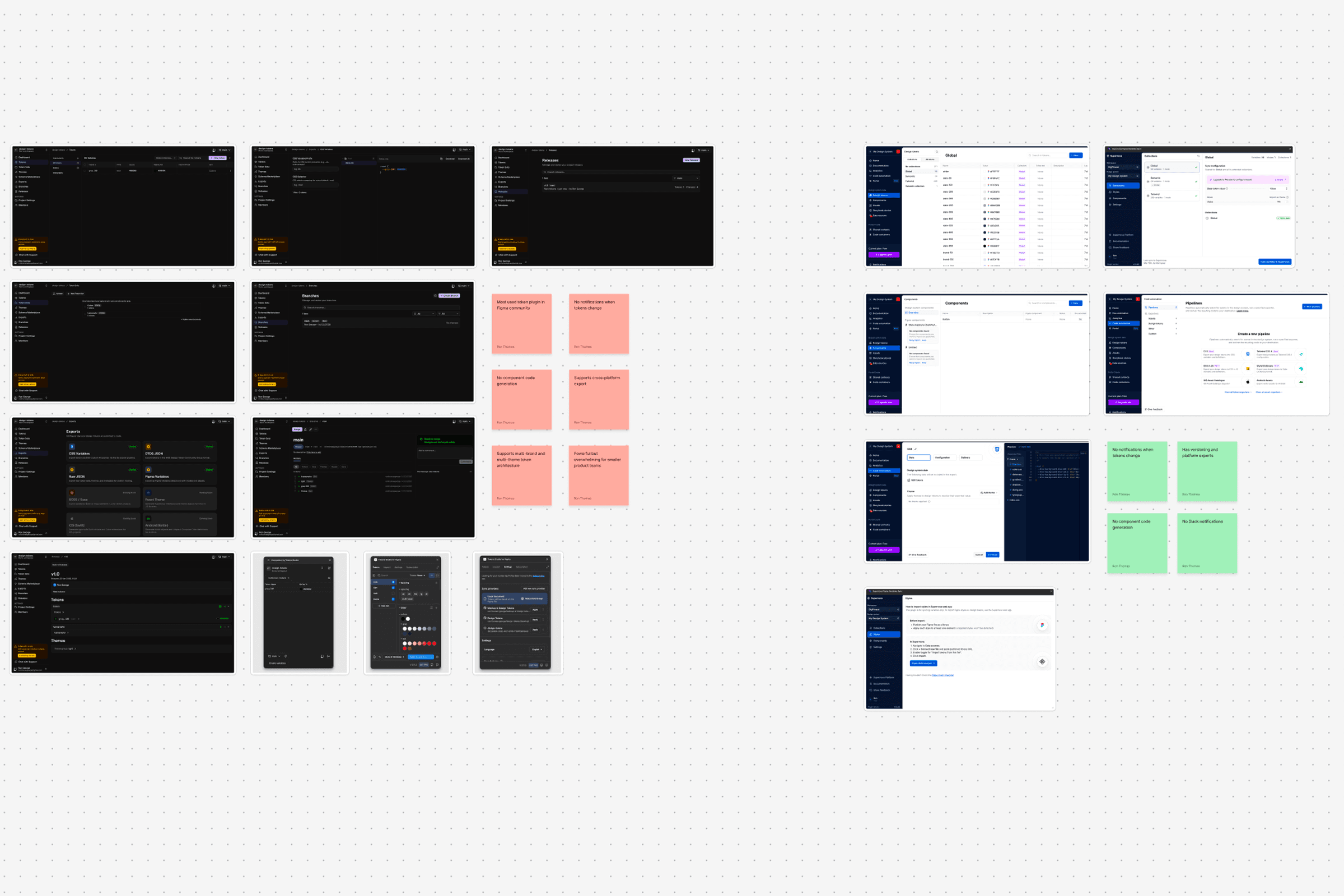
Token Studio is the most widely used token management plugin in the Figma community. It gives designers granular control over token architecture and integrates with GitHub, GitLab, Azure DevOps, and the Tokens Studio web app. They have two plugins, one for pushing tokens to version control systems and another for pulling tokens from a VCS or web app back into Figma, ensuring bi-directional sync. The web app covers token maintenance, platform-specific variable configuration, release management, and more.
Supernova
Supernova is also widely used in the Figma community. It has a plugin for pushing tokens to their web app. The web app covers token and component documentation, versioning, and platform-specific exports.
Connecting the Dots
From the user research and competitive analysis, I figured out the gap. Both platforms offer a lot of features but they are not completing the whole picture.
Most teams had no automated process for keeping design tokens in sync with code. Changes in Figma were communicated through Slack messages, Notion docs, or comments on Jira tickets. The workflow depended on human communication rather than automation. When communication broke down, inconsistencies followed.
Inconsistencies compound over time. Small drift between design and code builds up silently. Teams often did not realise how far apart their Figma files and codebases had drifted until a design audit surfaced it.
Component code looks different from what is designed. States may vary or designers may not provide documentation of the components they have built. For designers this is a time consuming process. Manual work is not consistent in the long run. Developers have to go through the entire Figma file just to get component properties.
Developers sometimes make changes in their codebase that never get reflected back in the design files, creating inconsistencies in the other direction too.
Developers had no visibility into token relationships. If a semantic token changed, they had no way of knowing which components were affected. And without a clear picture of what tokens existed in Figma in the first place, they were building components without a reference, guessing values or hardcoding them entirely.
Solution
Designing the Pipeline
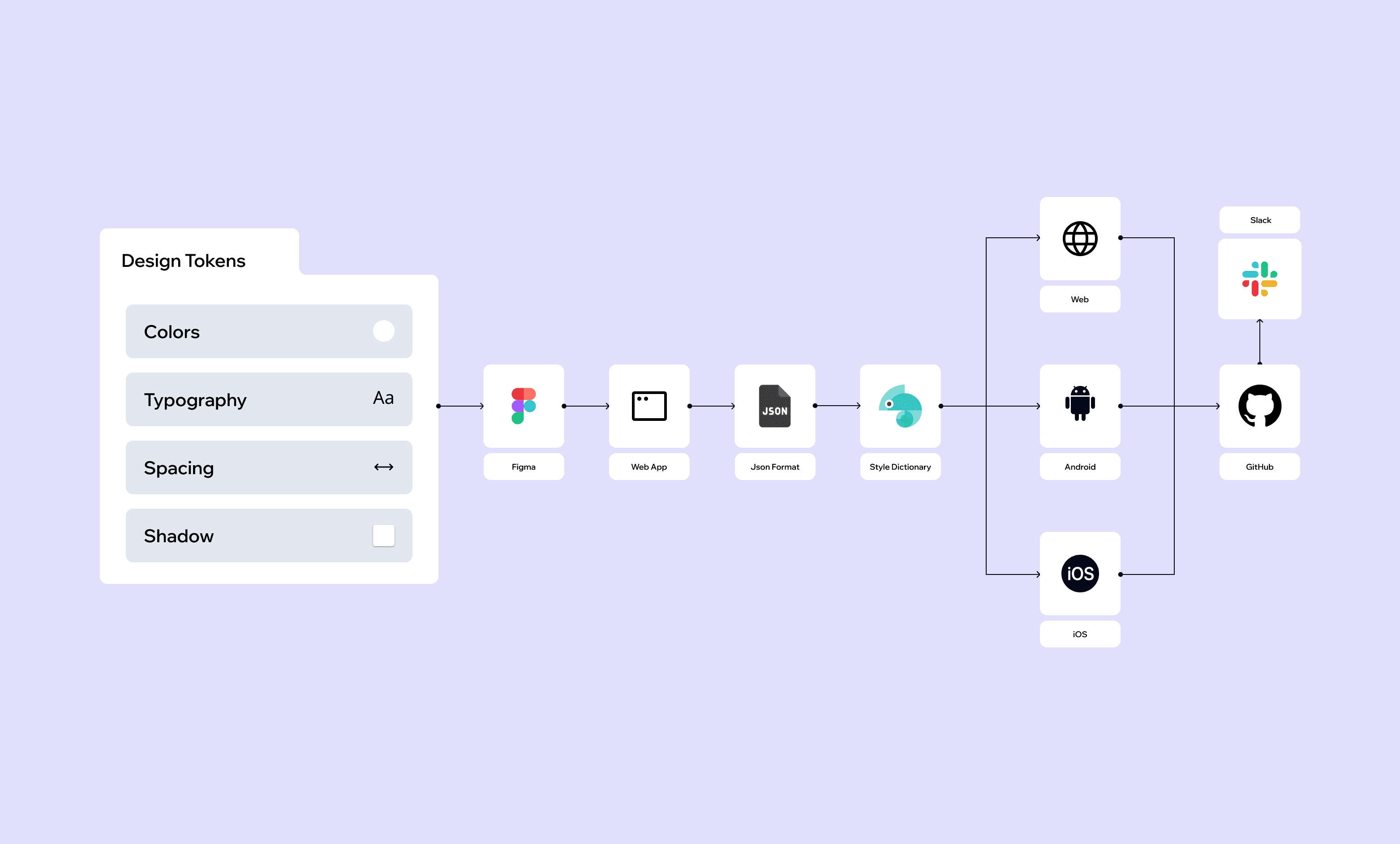
On top of what competitors provide, I designed a pipeline for tokens and components to reach the developer's codebase and notify the team when changes are made. Considering bi-directional sync, I also designed a reverse pipeline so designers would not miss changes made on the developer side.
The core challenge was not just storing tokens. It was moving them reliably from where they are created to where they are used.
Each stage has a clear owner. The designer owns the Figma side, the transformation is owned by Fragmento, and the developer owns the codebase. Nothing moves without a deliberate action, which means every change is traceable and every version is intentional.
The transformation step is where the real work happens. Raw token values from Figma, hex colors, pixel values, font sizes, are converted into platform-specific formats before they reach the repo. Developers receive files they can drop directly into their codebase without any manual translation.
Approach to Code Generation
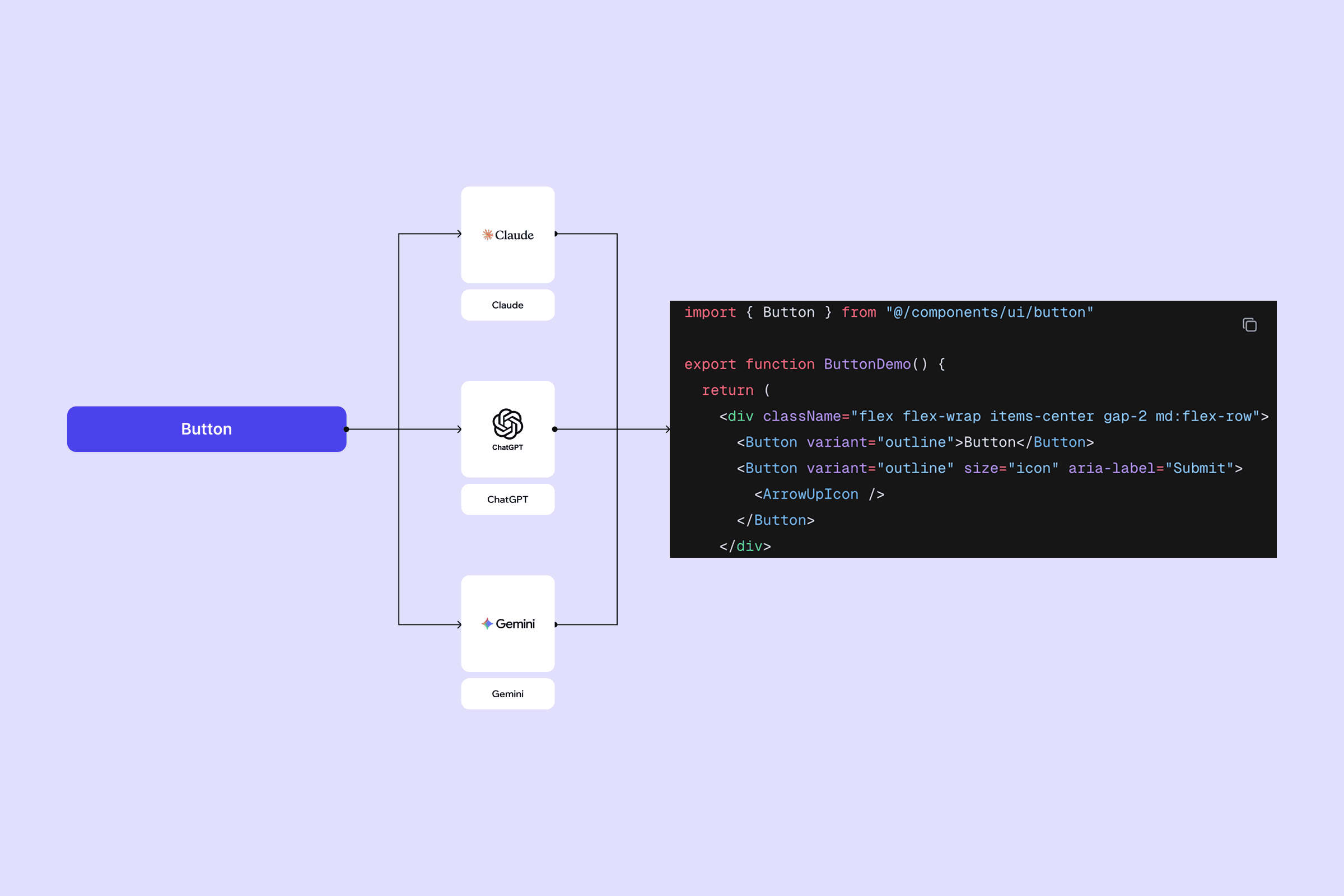
Once components were pushed from Figma to the web app, the next challenge was generating platform-specific code from them. I explored two approaches before deciding on a direction.
The first was template-based generation. Common components like buttons, inputs, and cards follow predictable patterns. A button is always a button regardless of which design system it belongs to. Templates stored for each component type get filled in with the actual token values and component properties on generation. The output is clean, predictable, and production-ready. The limitation is obvious. You need a template for every component type, and anything custom falls outside what templates can handle.
The second was AI-based generation. Instead of predefined templates, the component structure and token data get sent to an AI model which generates the code from scratch. This handles any component regardless of complexity or how custom it is. The tradeoff is consistency. AI-generated code varies in quality between generations, adds latency of one to three seconds per component, and introduces API costs and failure points that templates do not have.
After evaluating both, I went with a hybrid approach. Templates handle the common components, the ones that appear in almost every design system and have well understood patterns. AI generation acts as a fallback for custom or complex components that do not fit a template. Reliable, high quality output for the majority of cases, with flexibility for the edge cases templates cannot cover.
Token Relationship Graph
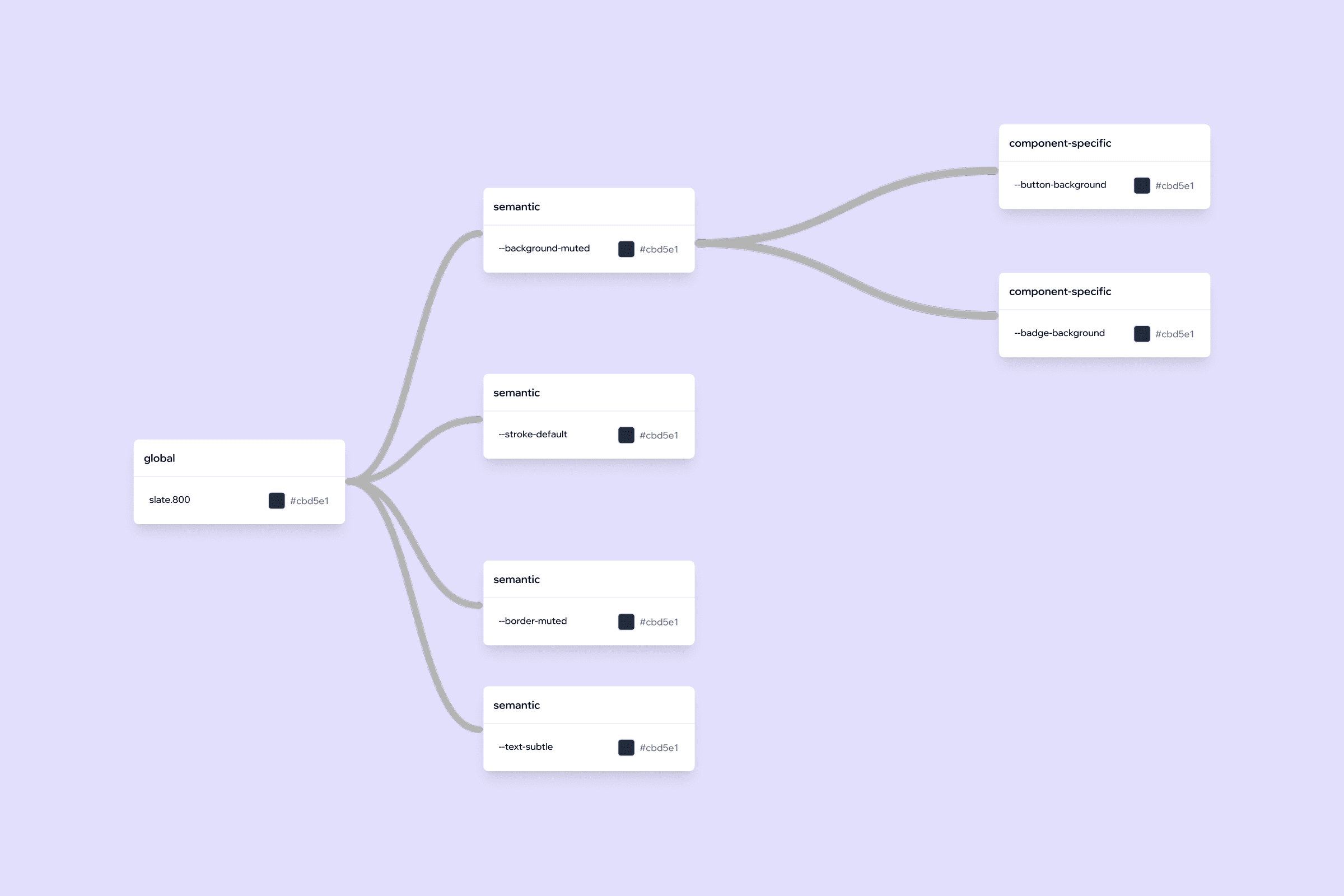
One insight that came directly from developer interviews was the need to understand how tokens relate to each other. When a semantic token changes, developers had no way of knowing which components were affected or where that token was being used across the product. They were working without a map.
To address this, I designed a token relationship graph, a visual representation showing how tokens connect to each other.
Architecture
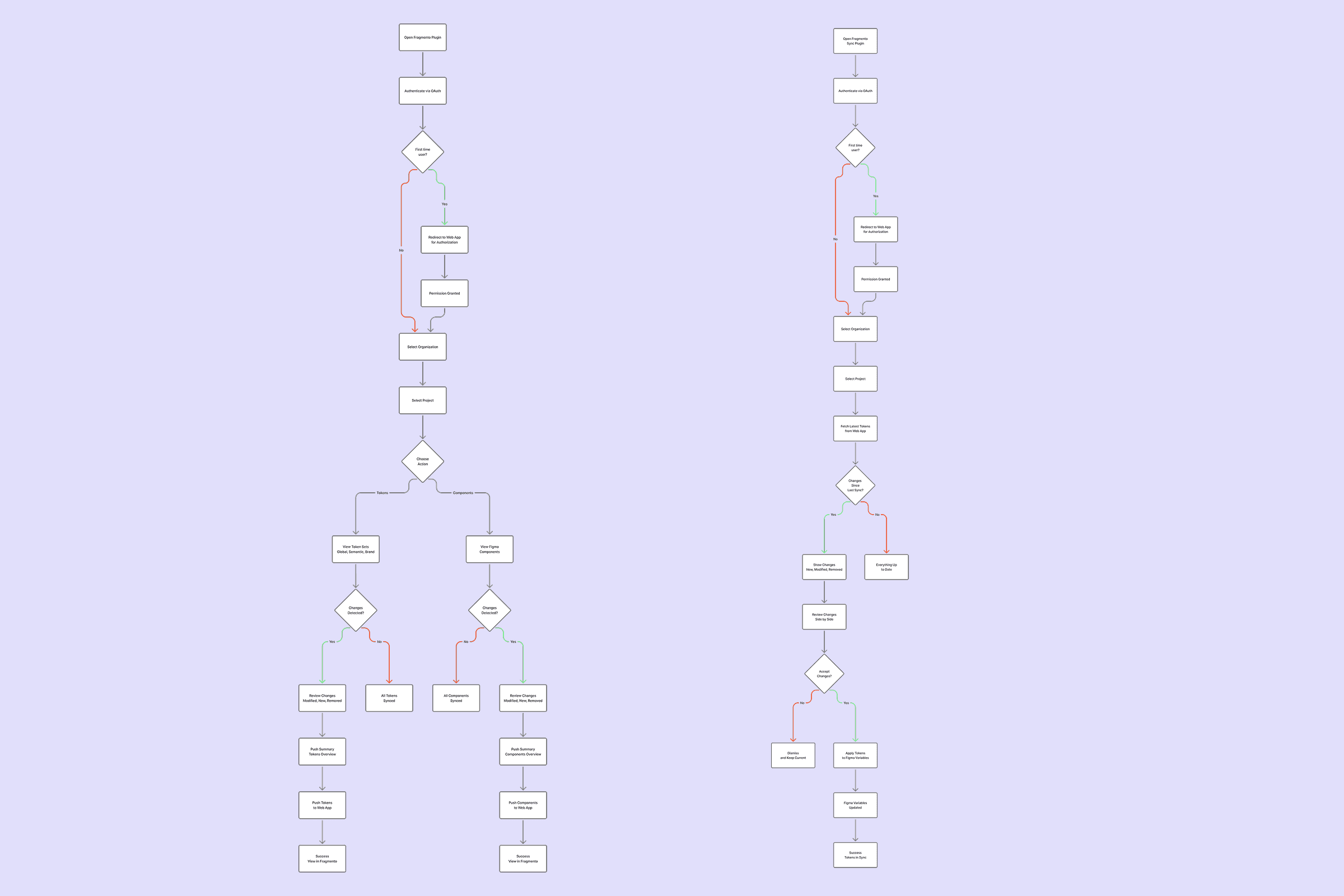
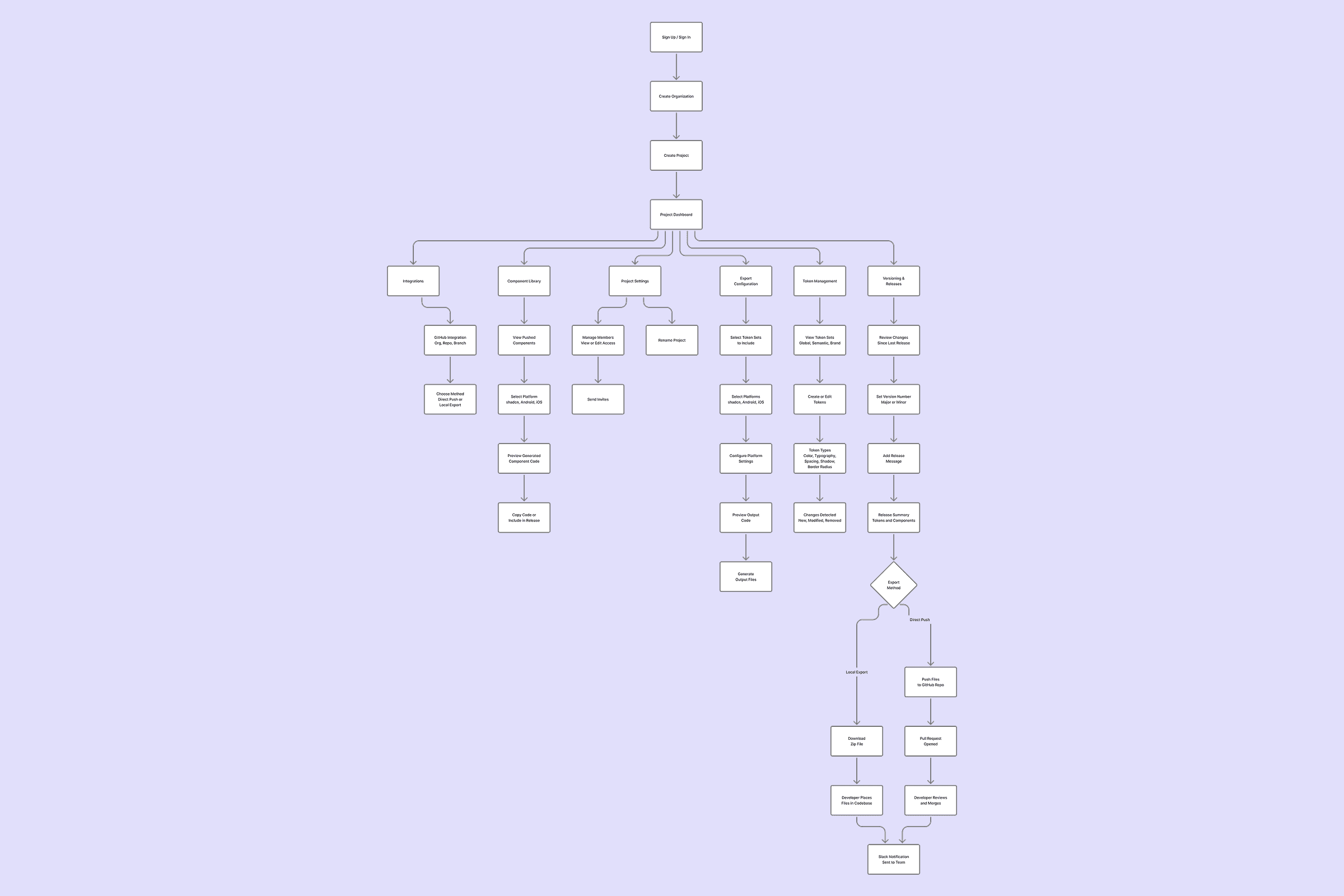
Based on the research and competitive analysis, a two-part system made the most sense.
For tokens to be pushed from Figma, a plugin was needed to extract design tokens and components and push them to the web app. A module for maintaining tokens was needed. To detect changes, a module for representing what changed was needed. Once changes are reviewed, they can be pushed to version control for developers to pull. After pushing, a clear representation of what was released was needed for tracking. When discussed with developers, getting a preview of the generated token and component code gave them confidence to push changes after review. That required a module for configuring tokens in a platform-specific way. Integrating version control and Slack was needed for exporting tokens and sending notifications.
On top of this, Figma projects often have multiple teams under an organisation. So the web app needed to support organisations, with multiple projects under each. And for exporting changes made by developers back into Figma, a second plugin was needed.
Key Design Decisions
One plugin for tokens and components
Early on I considered whether to build separate plugins, one for token management and one for component sync. The argument for separation was focus. Each plugin would do one thing well.
But tokens and components are not independent. Components are built using tokens. Separating them would mean designers switching between two tools to complete one workflow, pushing a component but having to open a different plugin to sync the tokens it uses. That creates friction.
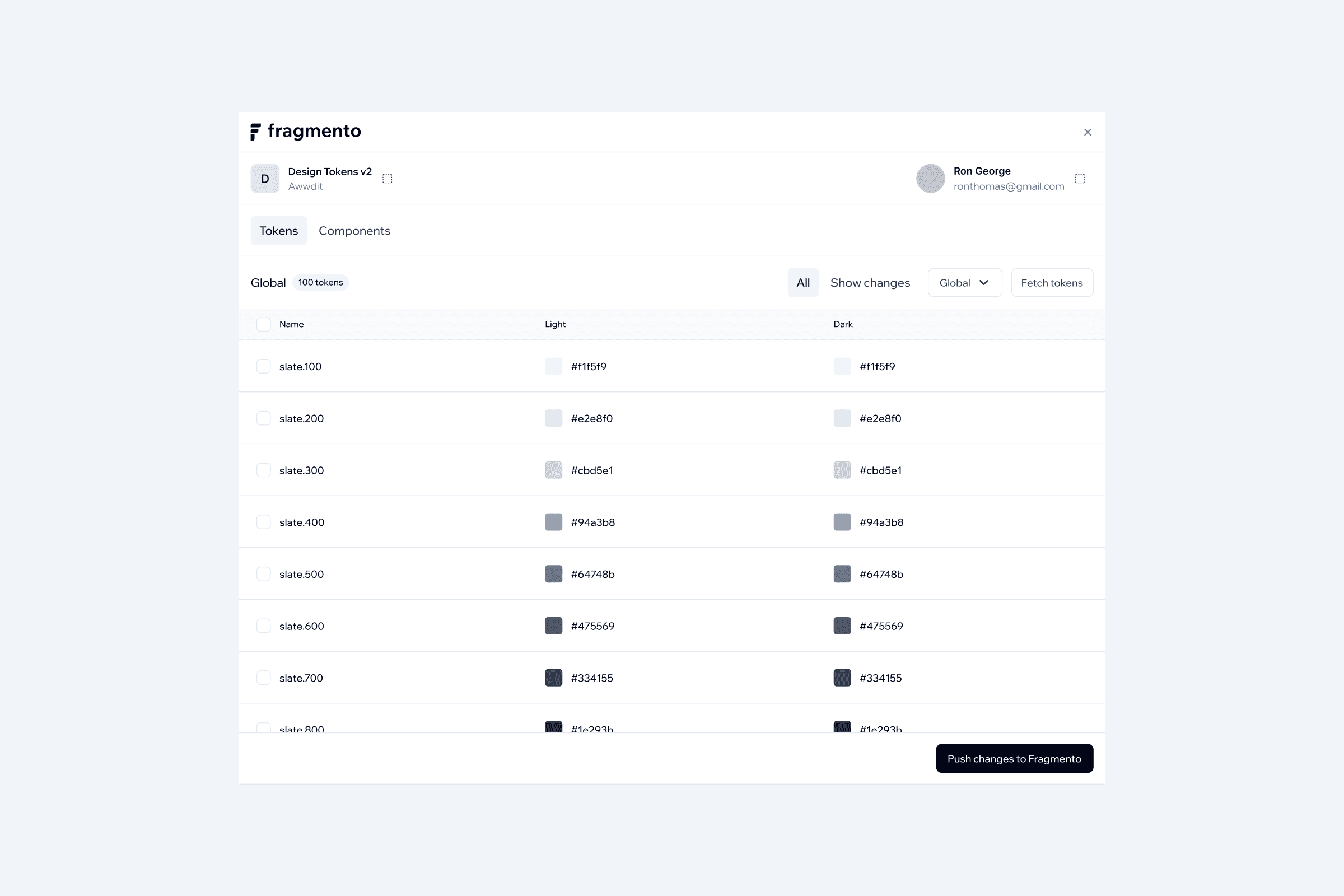
The decision was to keep everything in one plugin with a tabbed interface. Tokens and Components as two tabs sharing the same authentication, project context, and push action. One tool, one workflow.
OAuth over API keys for plugin authentication
When it came to how the plugin authenticates with the web app, I explored two approaches.
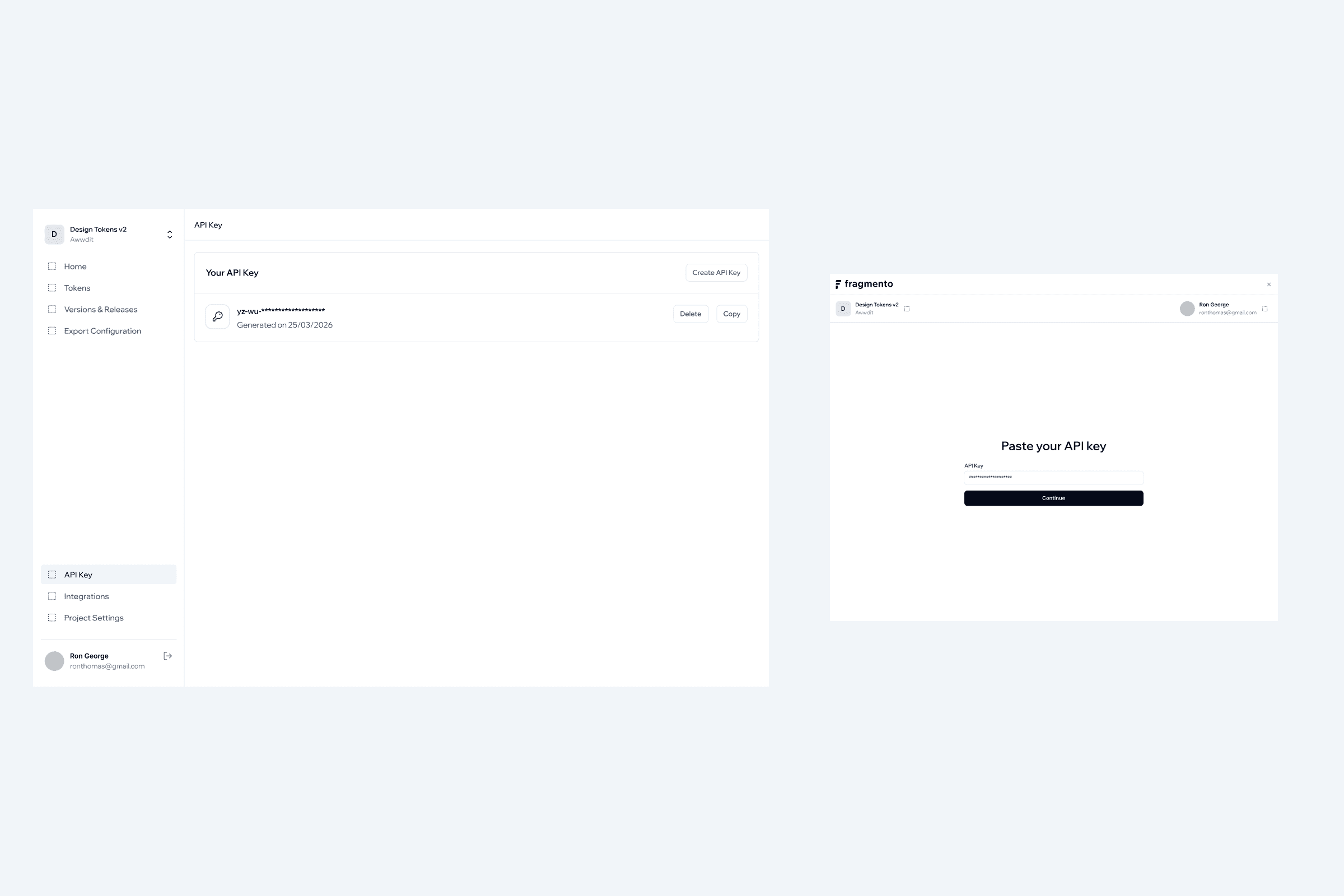
The first involved generating an API key in the web app and pasting it into the plugin every time a new session started. Simple to implement but it created problems. The key passed through the clipboard which other apps can access. Once pasted, it sits in the plugin's local storage in plain text with no expiry. If it gets leaked or forgotten, there is no way to know until something goes wrong.
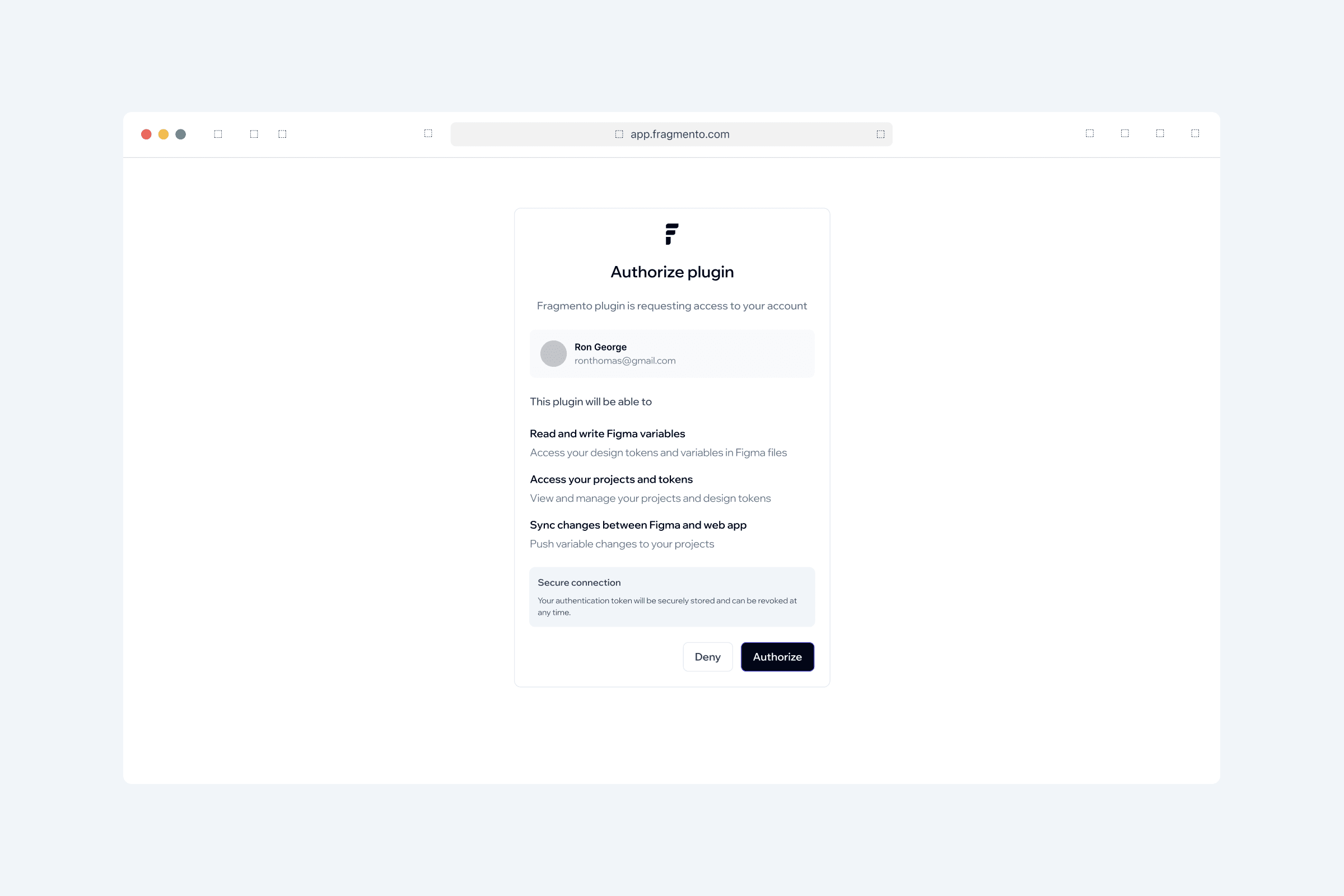
The second approach used an OAuth-style redirect. Clicking authenticate in the plugin opens the web app in the browser and asks the user to authorize access once. The plugin receives a short-lived token it manages automatically after that.
I tested both with designers and engineers. The redirect flow was strongly preferred. Engineers flagged the manual key handling as a security concern. Designers found it more familiar, the same pattern used by every other tool they authorize daily. The research confirmed what the security reasoning already suggested: authentication should not depend on user behavior to be safe.
Plugin push over Figma link import for components
For getting components from Figma into the web app, I looked at two methods.
The first was pasting a Figma link into the web app, which would fetch the component data from Figma's API. It is a lower friction entry point with no plugin needed. But it is a one-time snapshot. The web app has no way of knowing when something changes in Figma unless the user pastes the link again and re-imports manually. There is no event, no diff, no history.
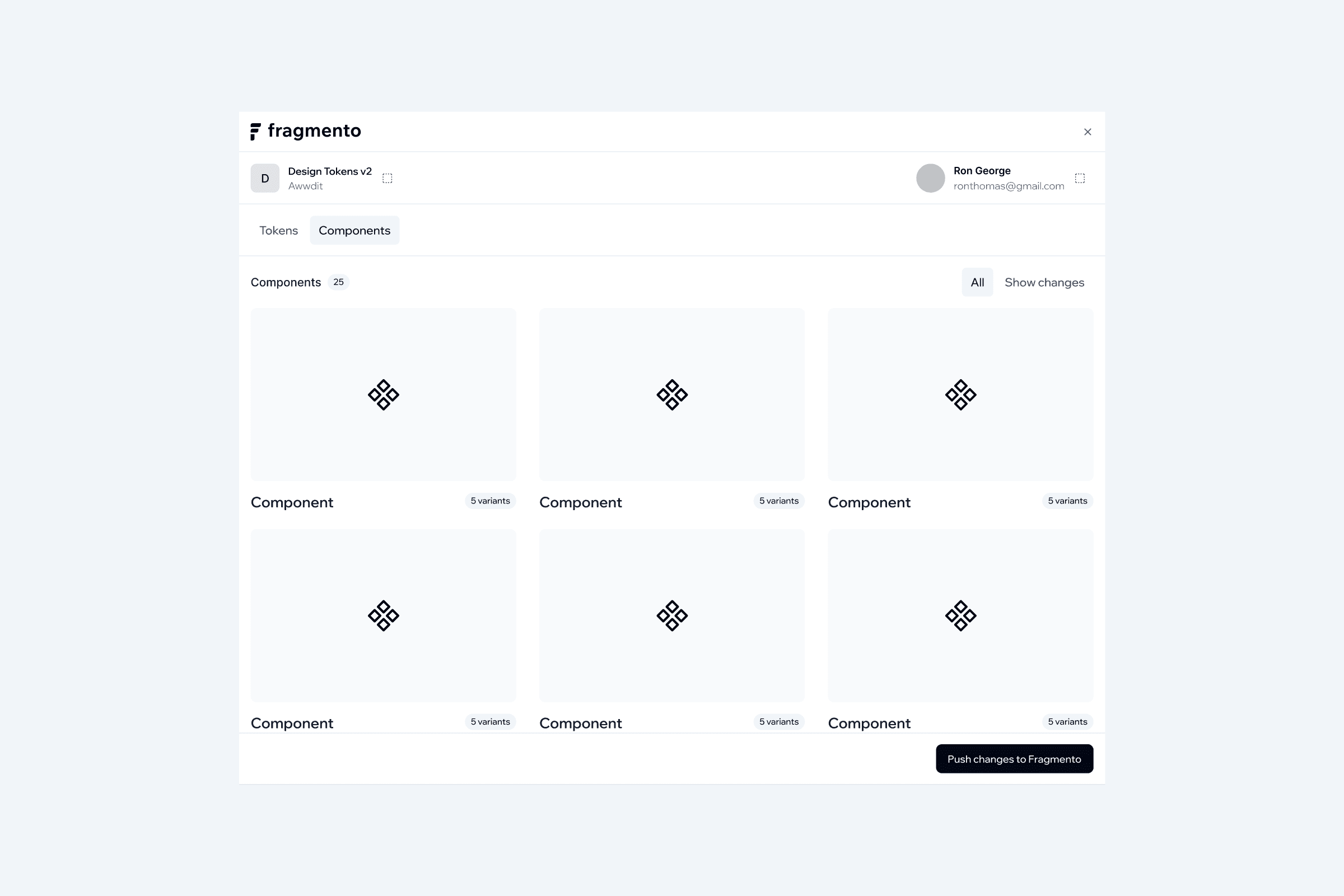
The second was using the plugin to actively push components. The designer pushes when the component is ready. Every push is timestamped, diffed against the previous version, and logged.
The plugin push approach won clearly. It gives a deliberate, traceable event for every change, the same mental model as the token release workflow. It also fits naturally into how designers already work in Figma. The link import method would have created a passive, easily forgotten sync that broke down the moment a designer forgot to re-import.
Drawer over dialog box for adding tokens
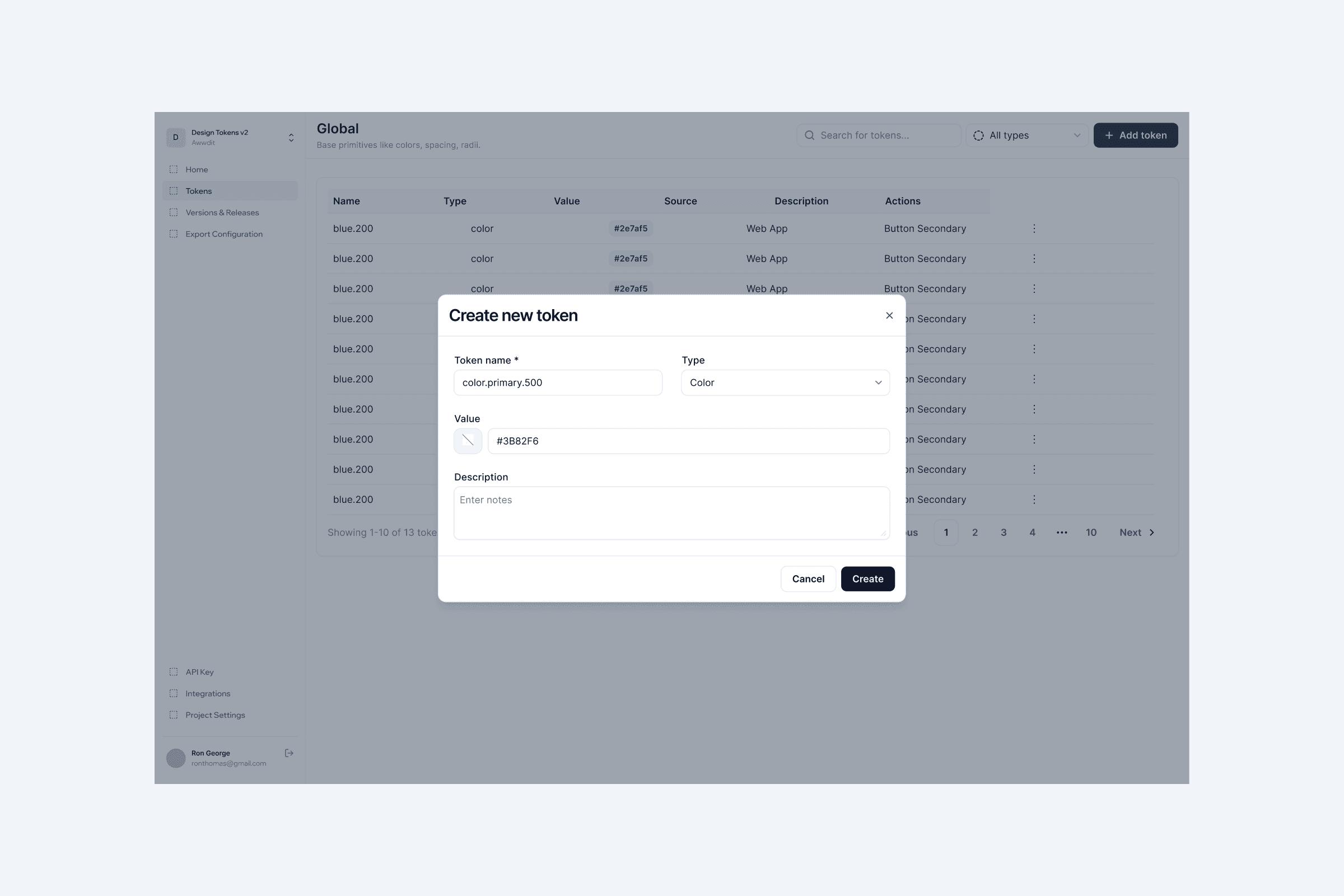
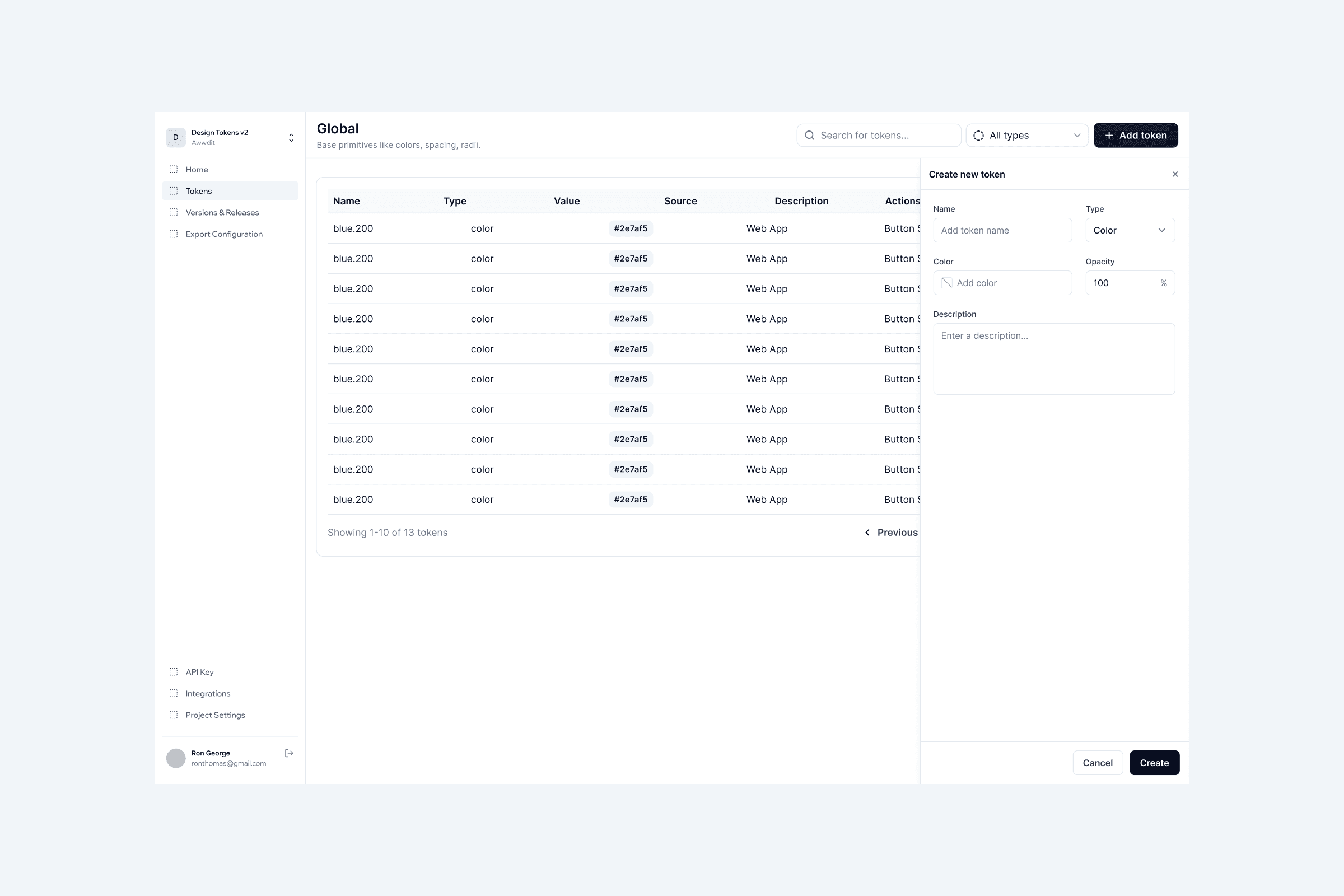
When adding tokens in the web app, I looked at two approaches, a dialog box and a drawer.
Different token types have different numbers of input fields. Font weight might have one or two fields. A shadow token has six. A dialog box would change height depending on the token type, creating an inconsistent experience.
A drawer slides in from the side with a fixed height and scrollable content. The layout stays consistent regardless of how many fields the token type requires. This was tested with designers and the drawer was the clear preference.
Designing for the Wait
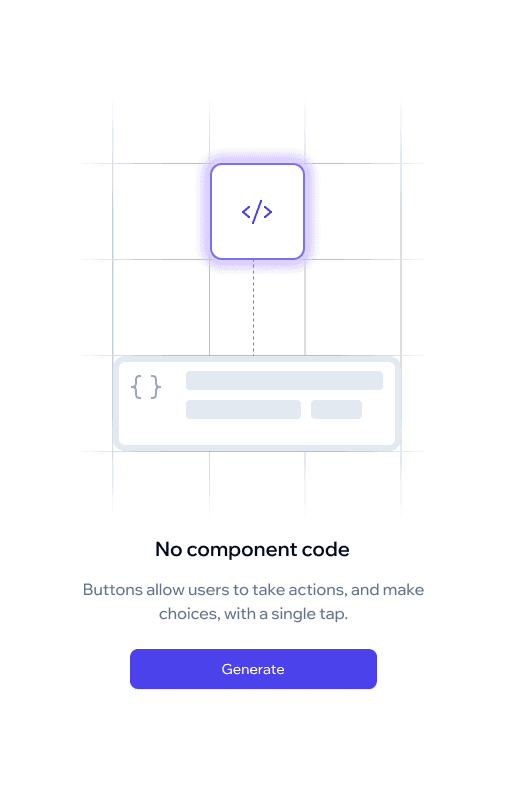
AI code generation introduces an inherent wait time that needed to be designed carefully. Developers are already skeptical of generated code quality. A generic spinner during that wait does nothing to build confidence. It just makes the uncertainty feel longer.
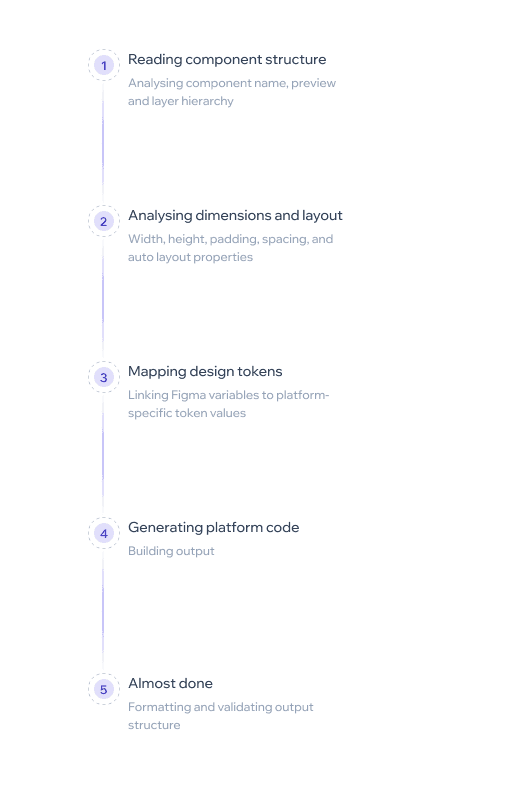
Instead of a spinner, I designed a step-by-step loading state that makes the analysis process visible:
Step 1 — Reading component structure
Analysing component name, preview, and layer hierarchy
Step 2 — Analysing dimensions and layout
Width, height, padding, spacing, and auto layout properties
Step 3 — Mapping design tokens
Linking Figma variables to platform-specific token values
Step 4 — Generating platform code
Building shadcn / Android / iOS output using templates and AI
Step 5 — Almost done
Formatting and validating output structure
Making the process transparent builds developer confidence before the result even appears. By the time the code loads, the developer already understands what went into generating it.
Final Designs
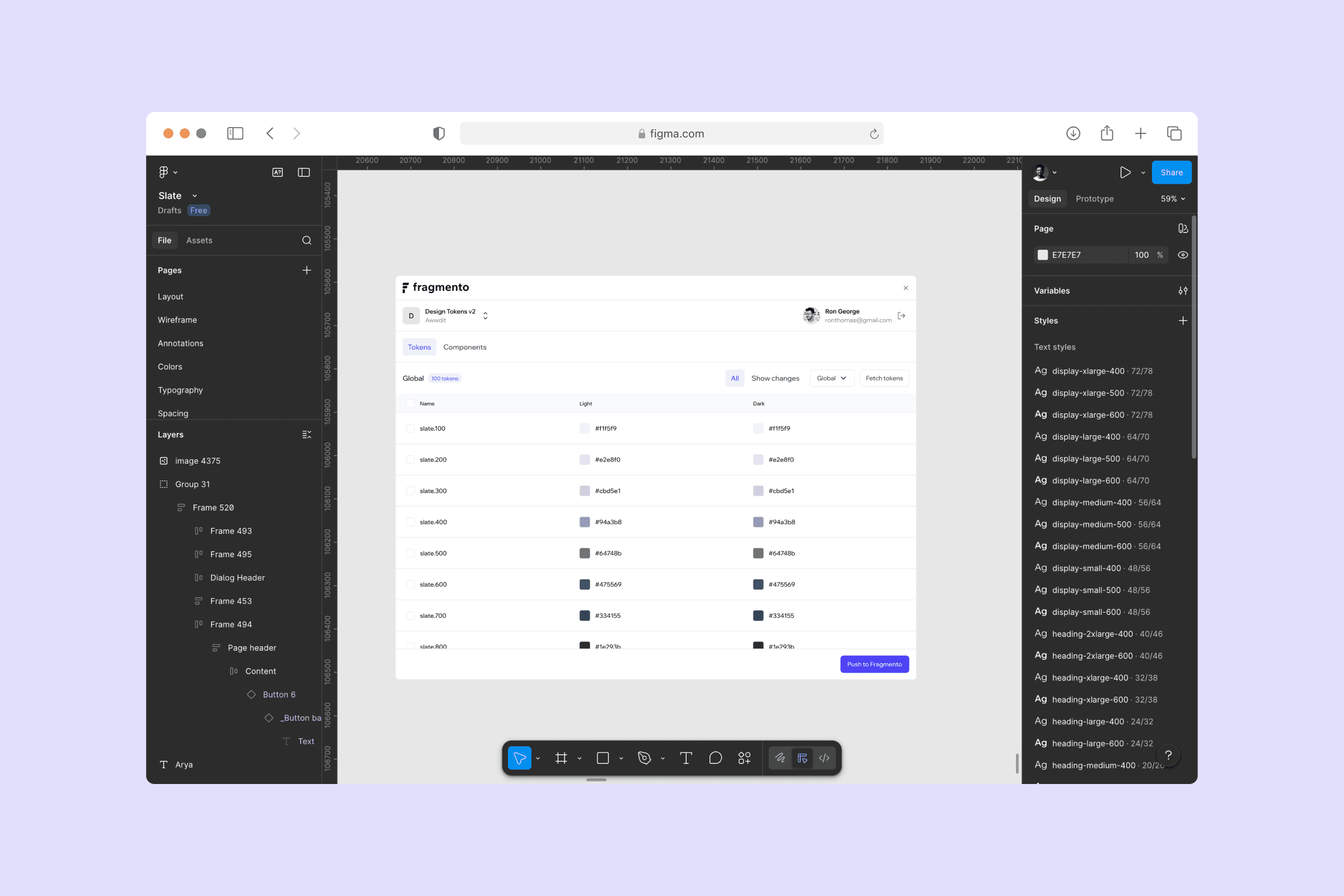
Plugin view displaying token sets organized by Global, Semantic, and Brand for syncing to Fragmento web app
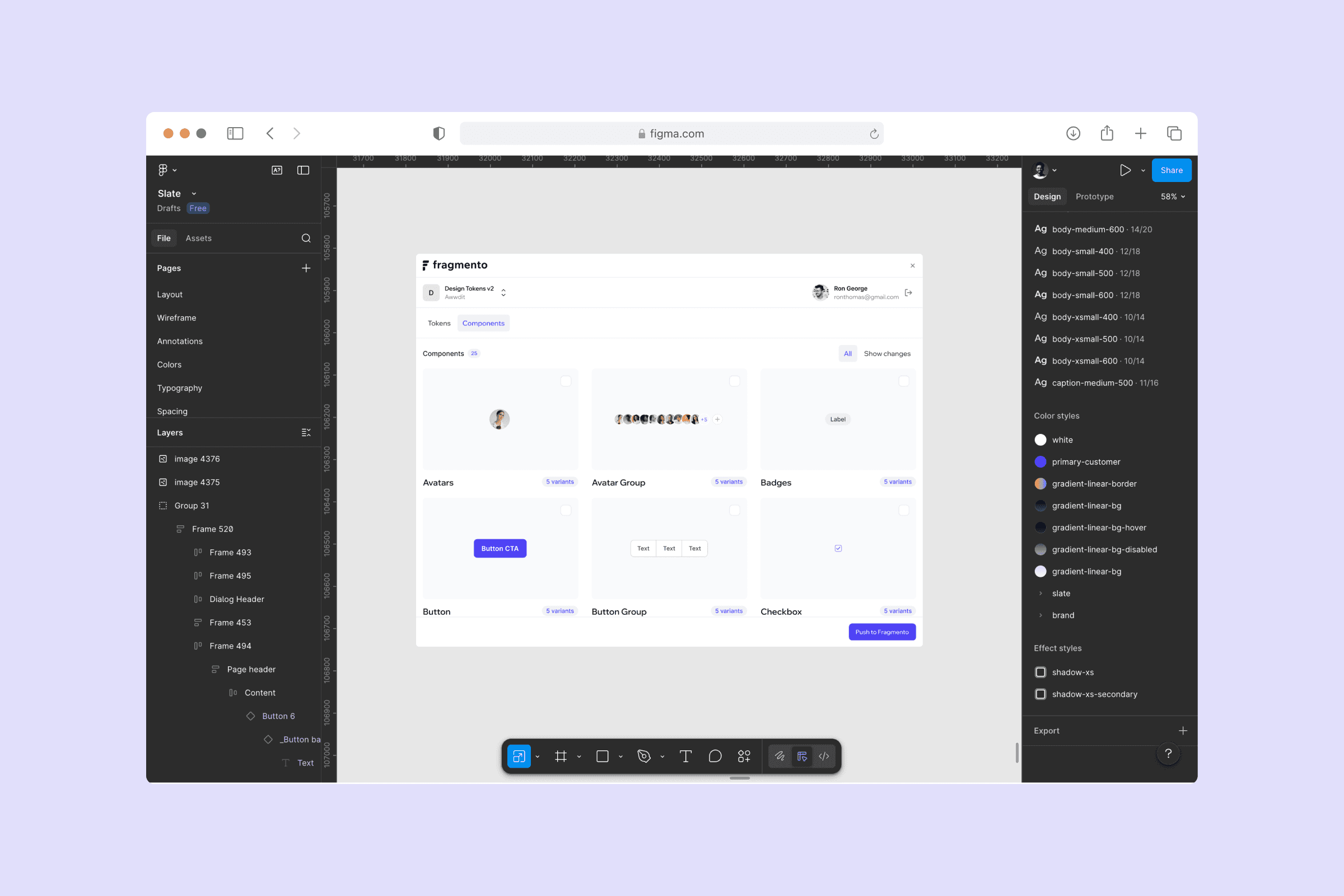
Figma plugin showing Figma components selected for pushing to the Fragmento web app
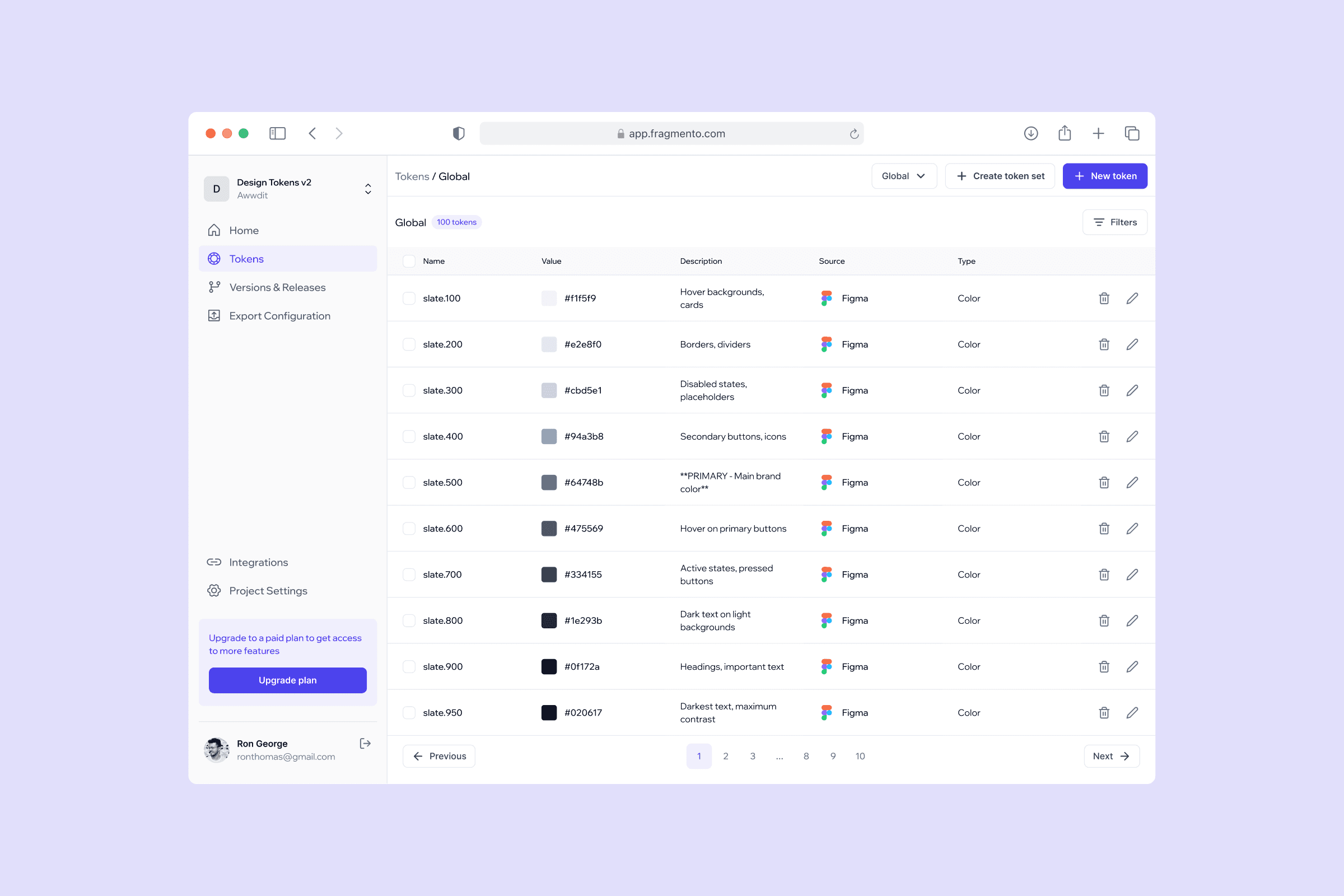
Web app token management screen showing tokens organized by set with values and descriptions
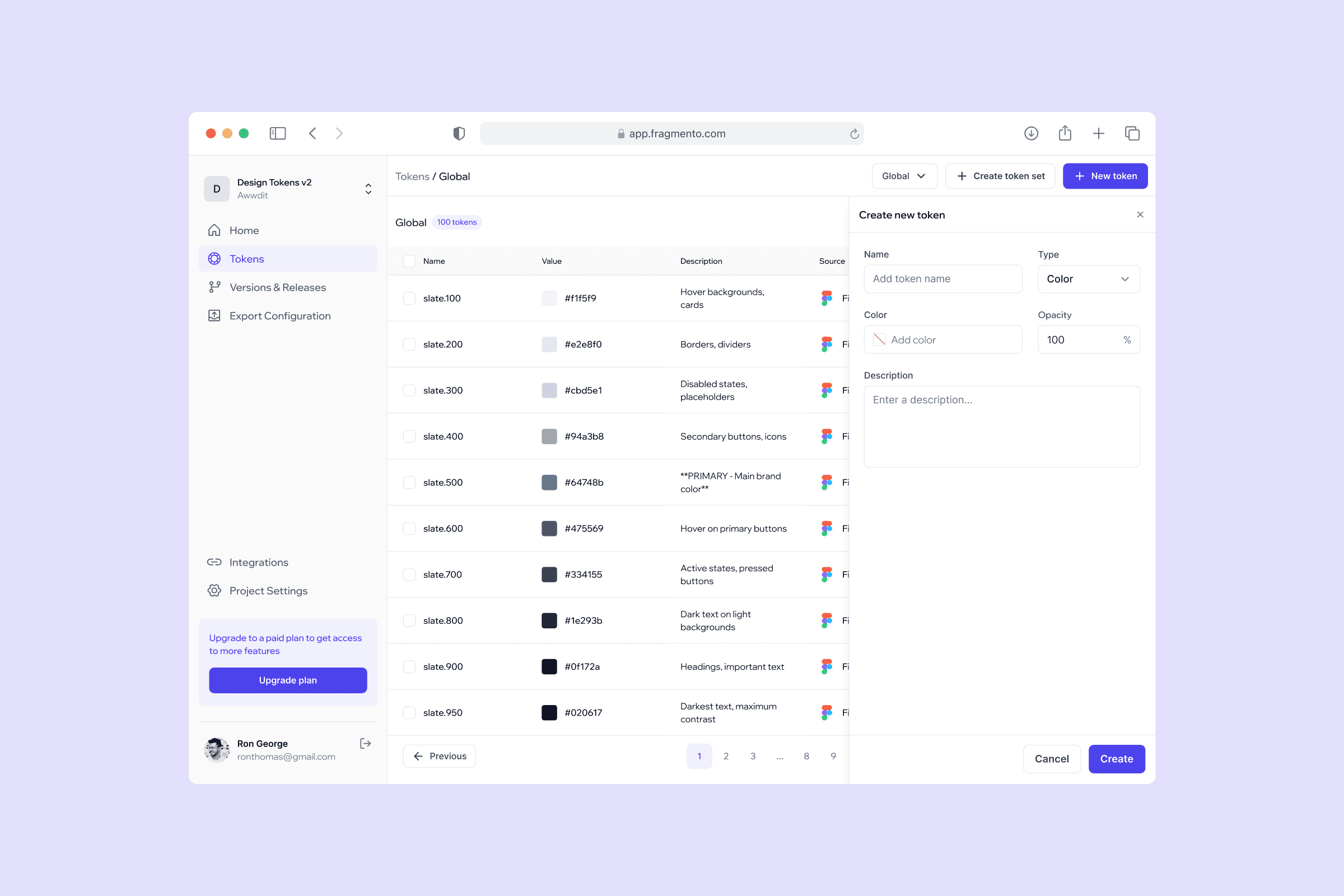
Web app drawer showing token creation form with type-specific input fields for adding new design tokens to a set
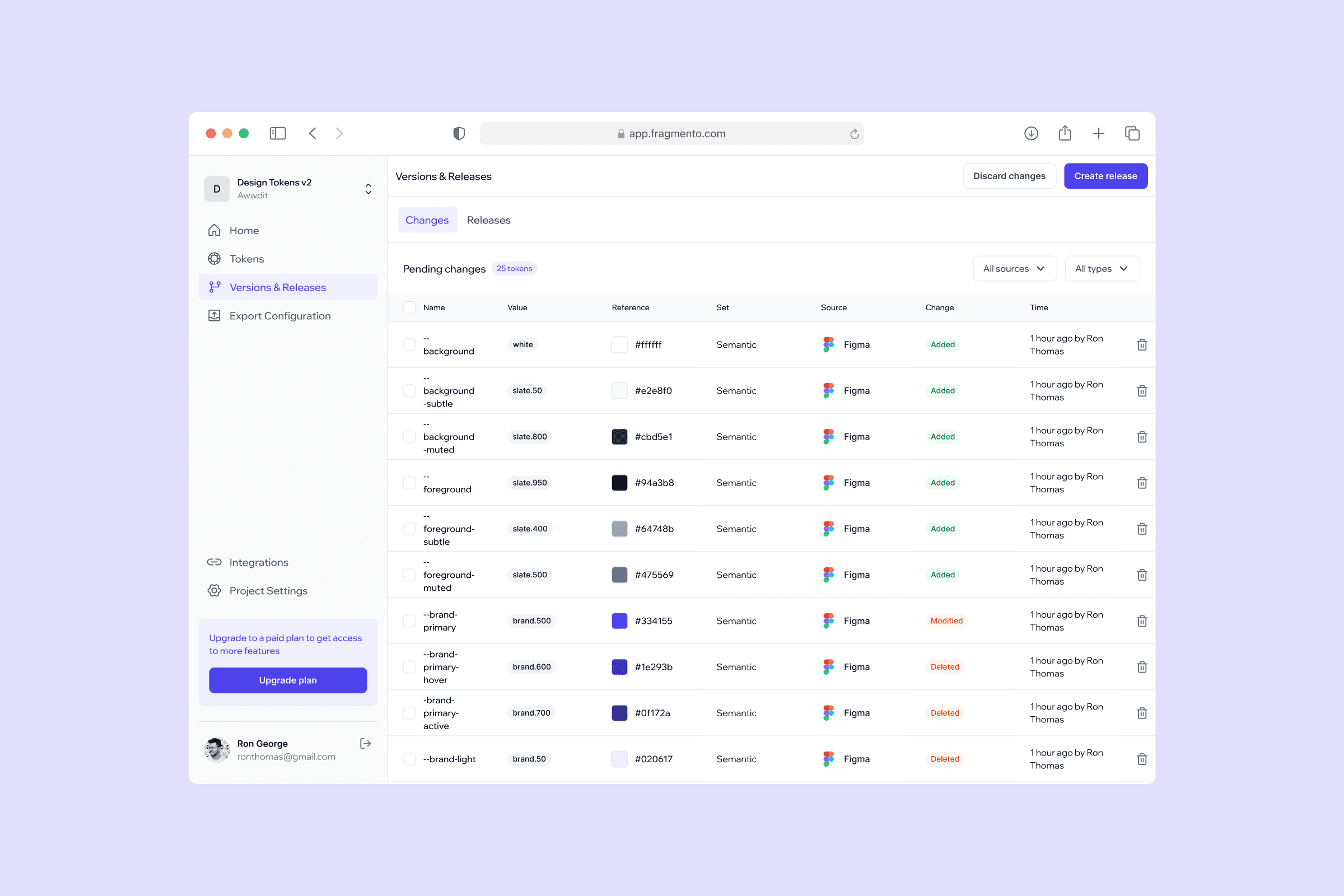
Web app pending changes screen showing tokens modified since the last release awaiting review before publishing
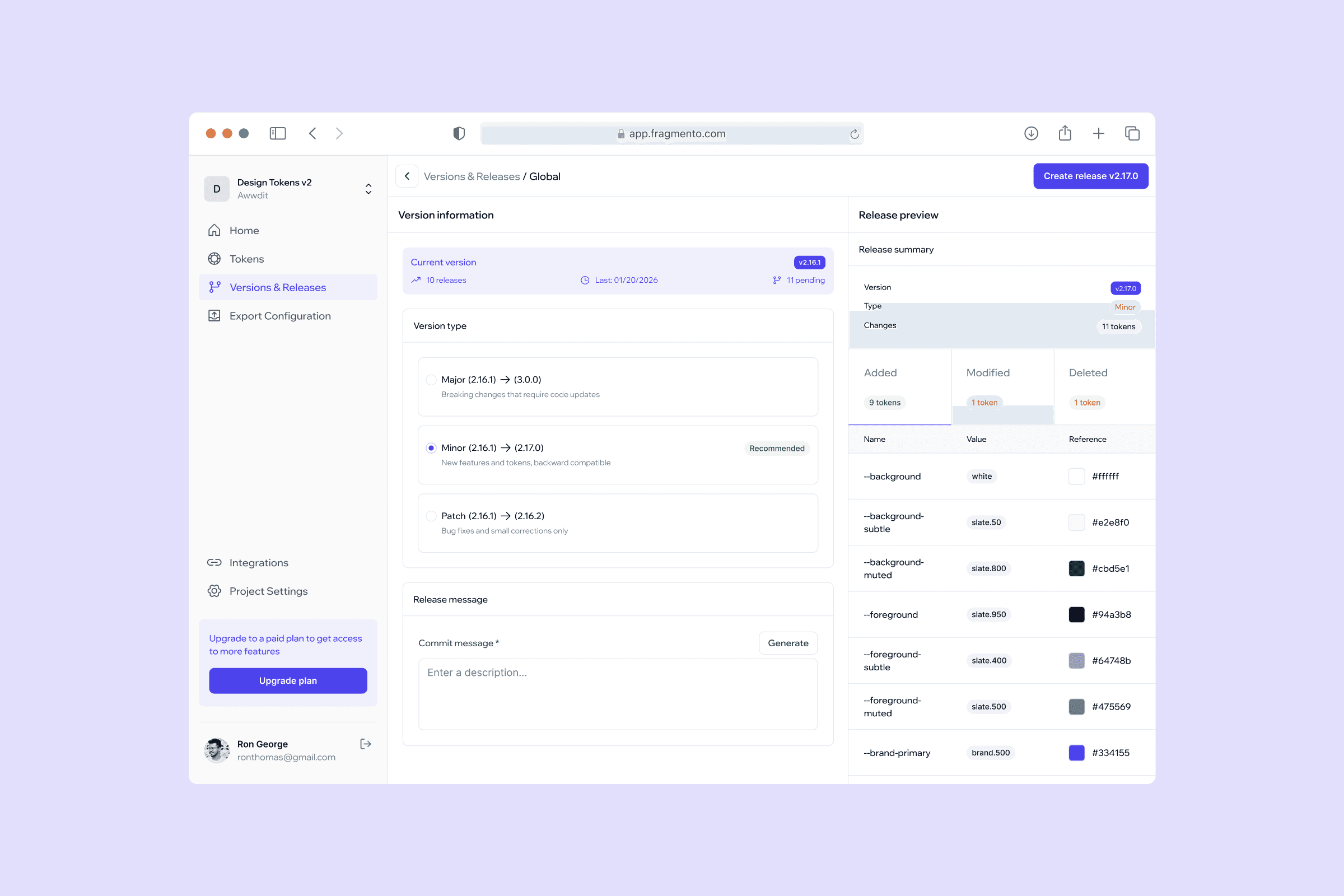
Web app release creation screen where designers review detected changes, set a version number, and publish tokens to the GitHub repository
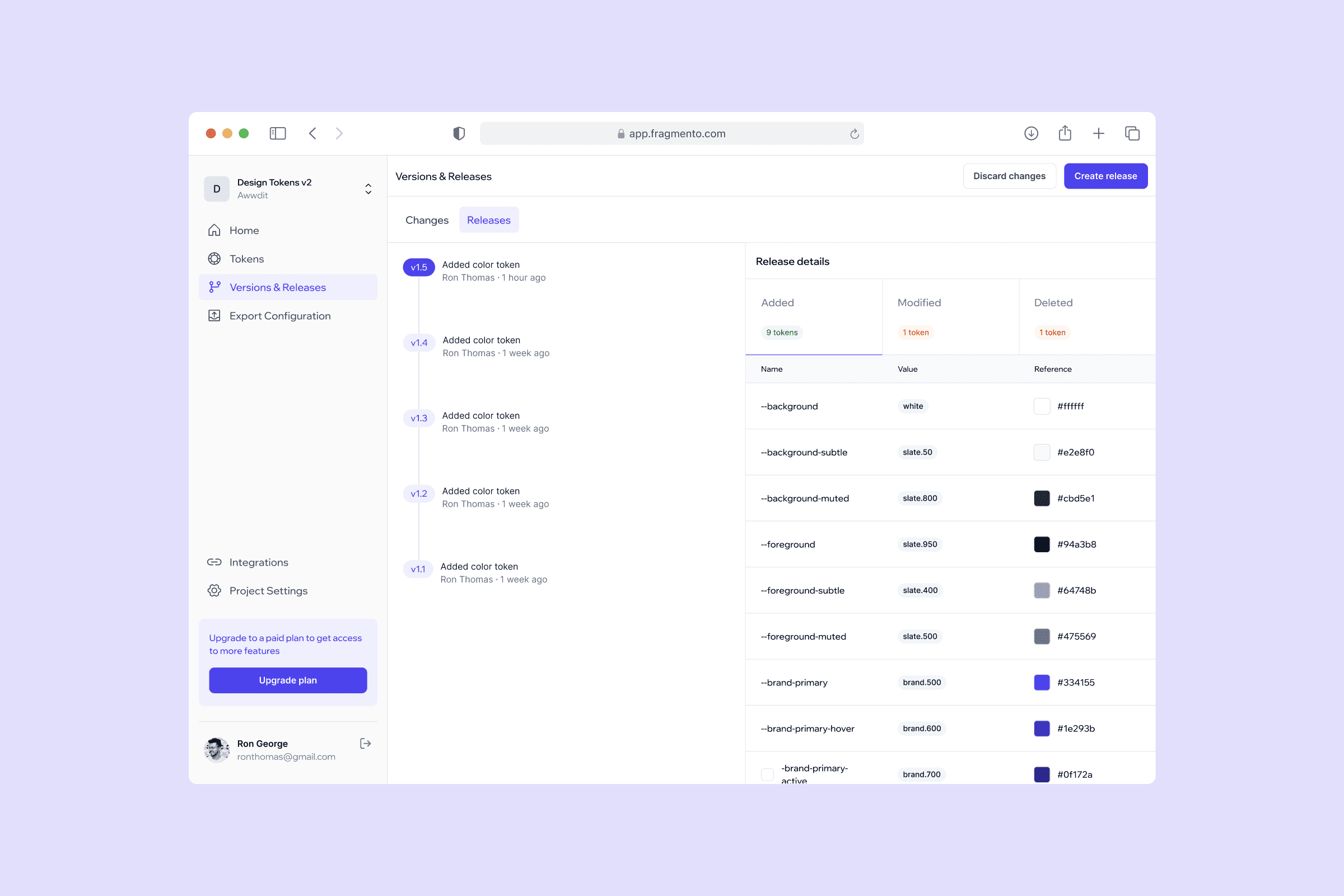
Web app versioning screen showing a history of all published releases with version number, publisher, and release details
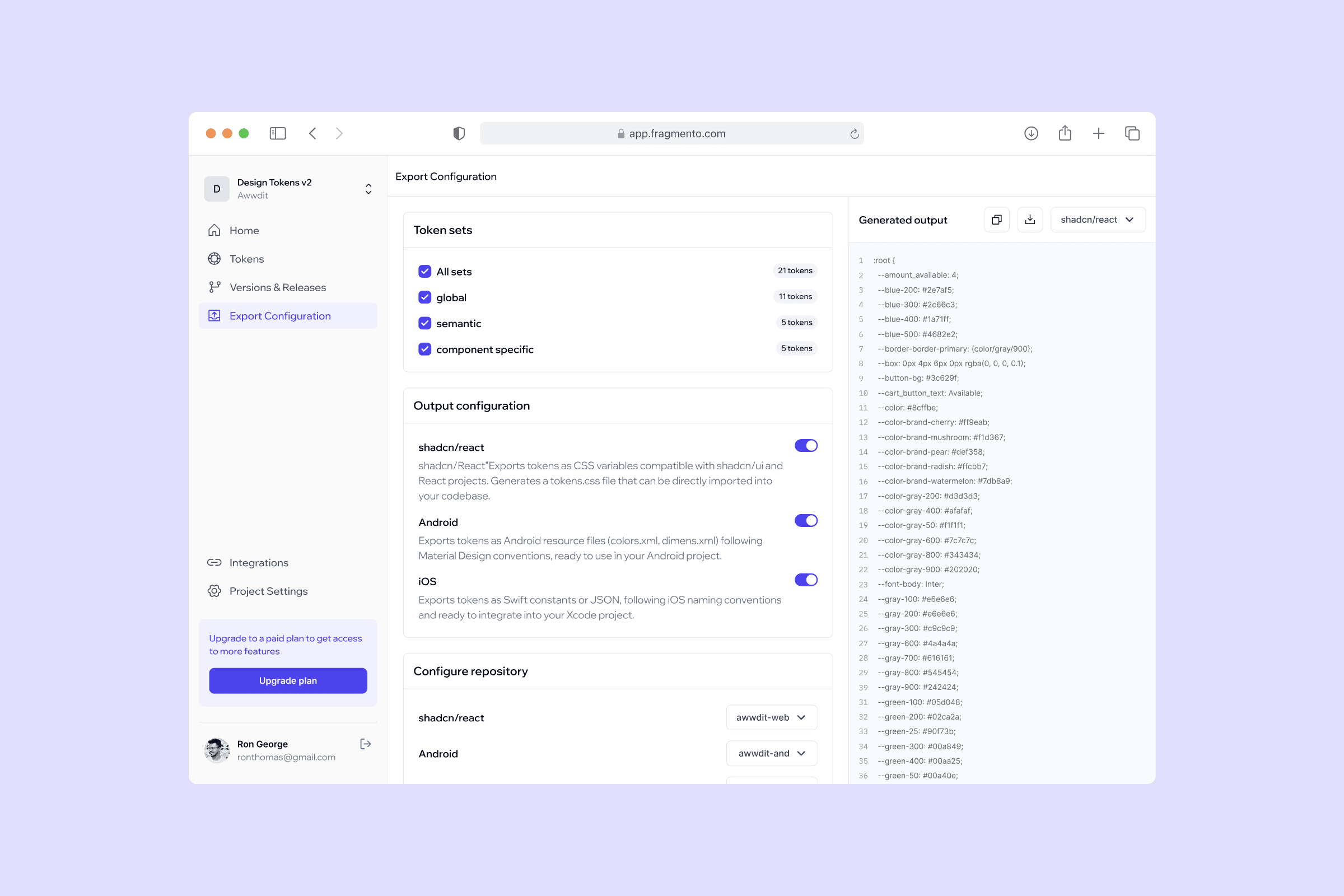
Web app export configuration screen showing platform-specific output settings for shadcn, Android, and iOS
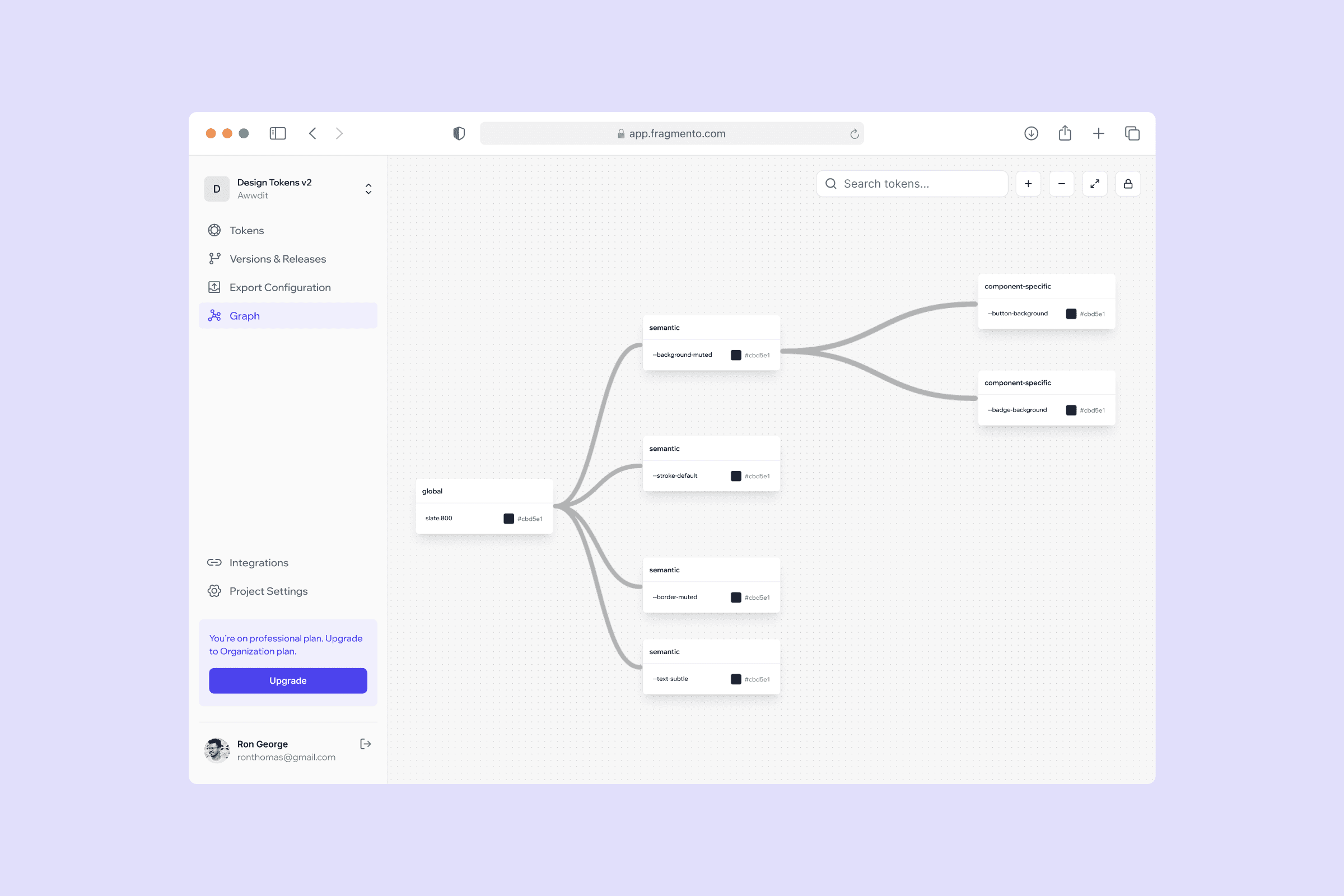
Web app token relationship graph showing how global tokens feed into semantic tokens and which component-specific tokens reference them
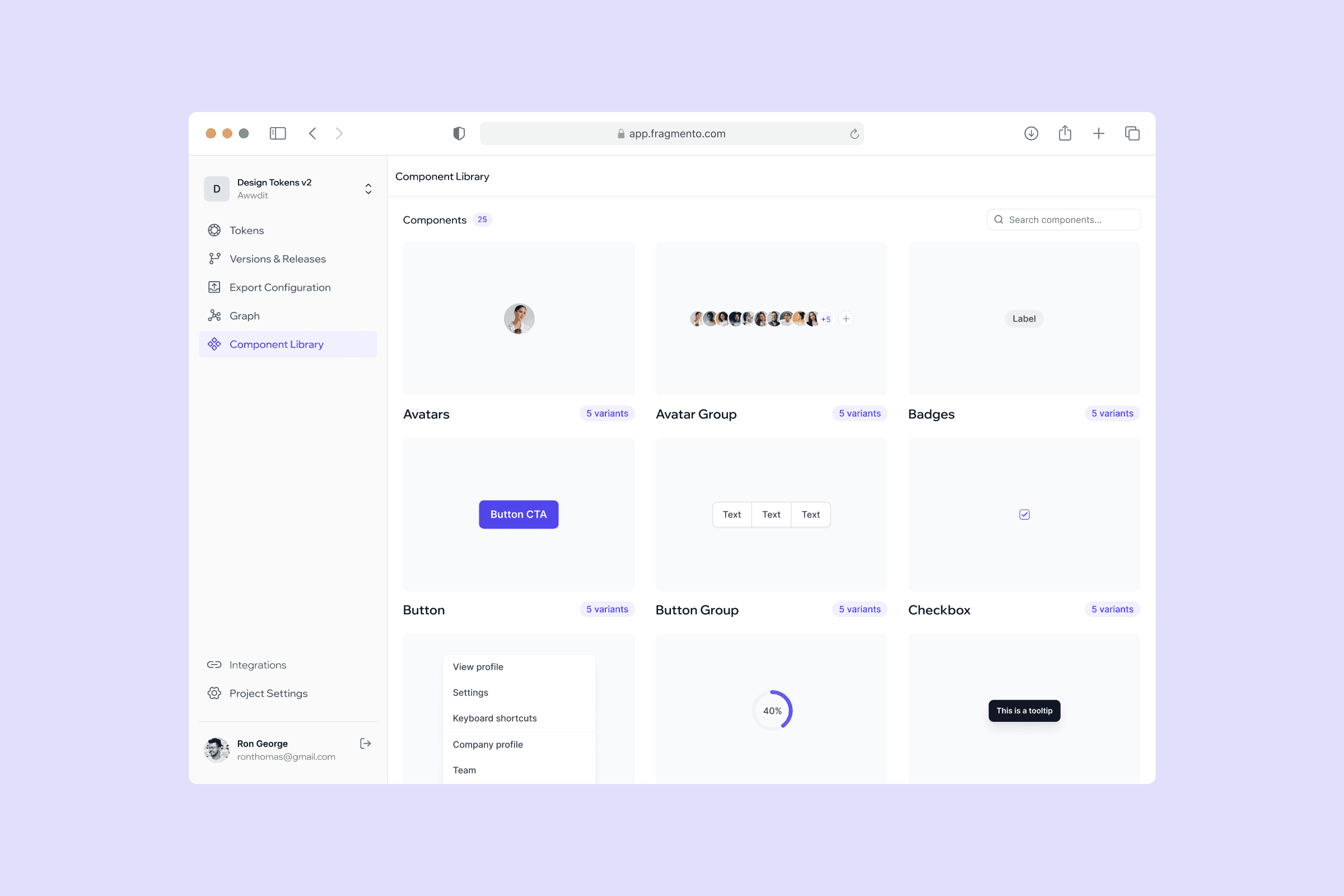
Web app component library showing Figma components
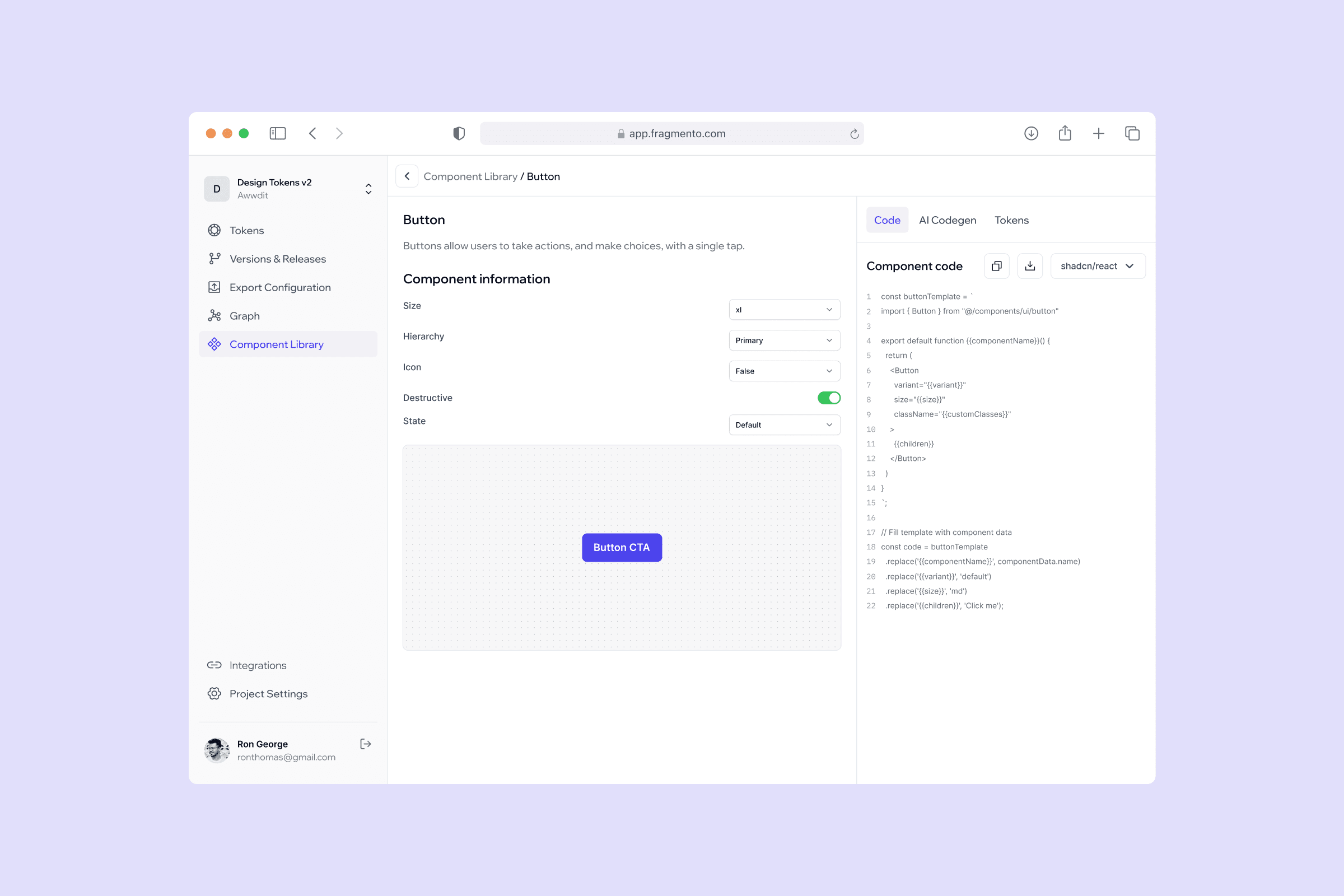
Web app component library showing Figma components with generated platform-specific code
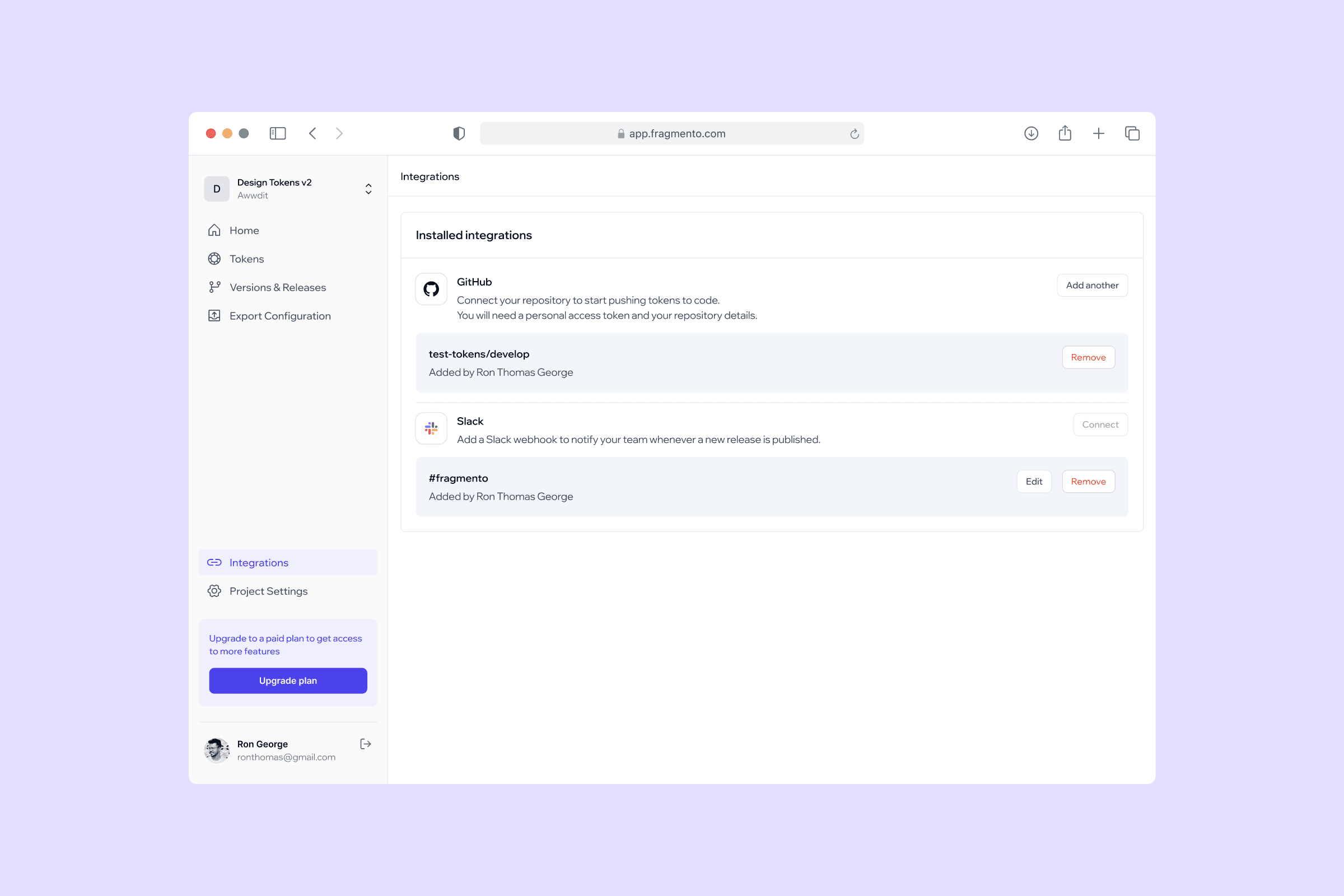
Web app integrations screen showing GitHub and Slack connection setup for pushing tokens to the repository and notifying the team on every release
Iterations
Webhook + Pull model for high security teams
After the initial design of the GitHub integration was complete, I shared it with a broader set of developers for feedback. The direct push method worked well for smaller teams but a pattern kept coming up in conversations with developers from larger organisations. Most companies keep their repositories private and have strict policies against any third party writing directly to their codebase, regardless of how the authentication is handled. The direct push model, however clean, was going to be a blocker for exactly the kind of enterprise teams Fragmento needed to reach.
This feedback pushed me back to the integration design. The question was how to give teams automation without requiring them to trust Fragmento with write access to their repository.
To address this, I designed a Webhook + Pull model as an alternative to the direct push. Instead of Fragmento pushing files to the repo, the developer sets up a GitHub Actions workflow in their repository once. When a designer publishes a release in Fragmento, it sends a webhook event to the repository. The GitHub Action wakes up, pulls the latest token and component files from Fragmento's read-only API, and commits them to the codebase. Fragmento never touches the repository directly. The repo pulls on its own terms, inside its own infrastructure.
For teams that want a review step before anything merges, the workflow opens a pull request instead of committing directly. The developer pulls the branch locally, tests the token changes in their environment, and merges when satisfied. Nothing lands in the main codebase without human approval.
Results & Impact
The platform reduced design-to-code handoff time by 90%, cutting what used to take hours of manual syncing down to a single release action. Developer implementation time was 5x faster compared to the manual token translation process teams were relying on before. The core workflows were validated through usability testing with 10+ design and development teams across different organisation sizes.