Espresso
Design System
Design System
Components
Backstory
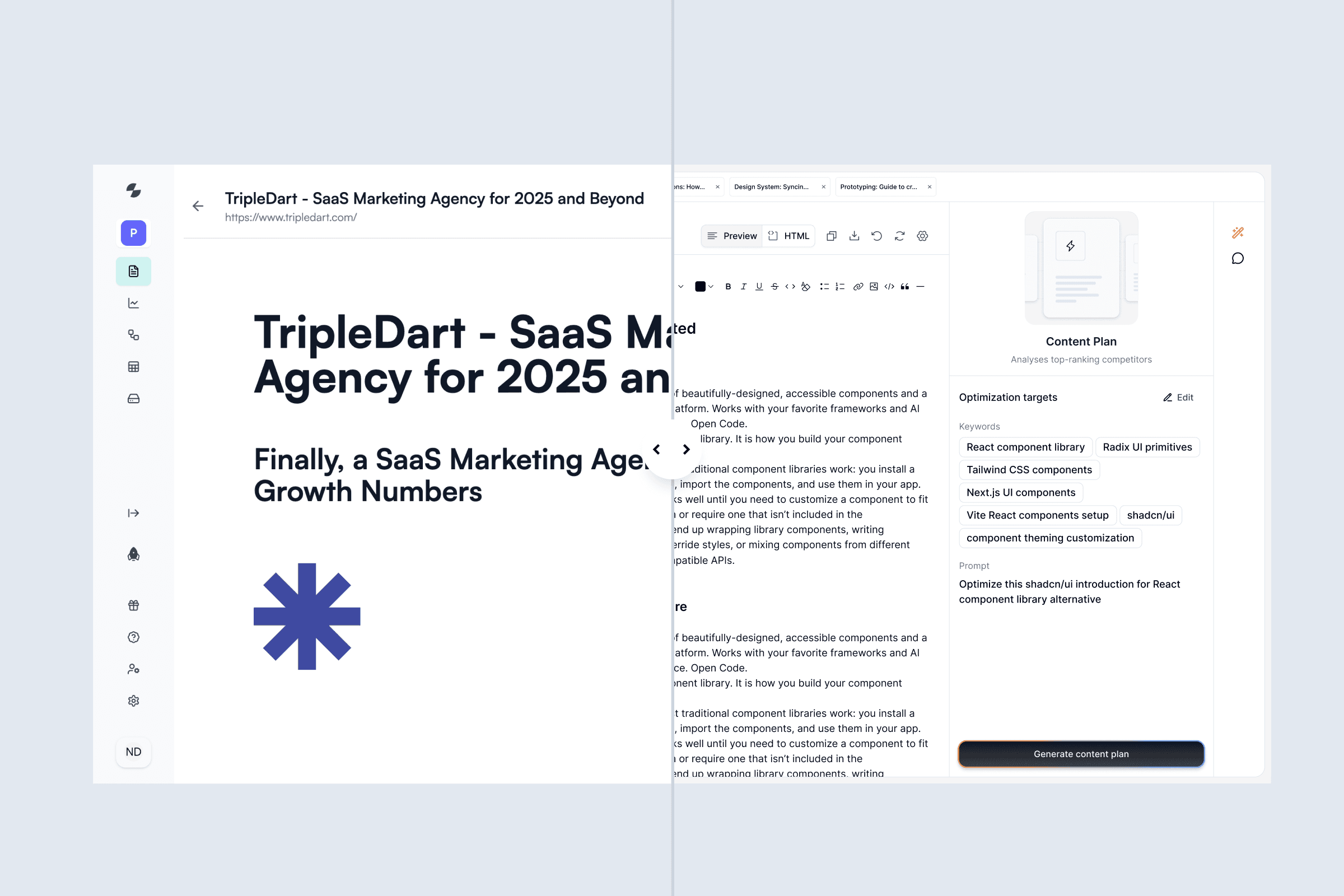
Slate is a content optimization platform that helps users get their content cited by AI agents like ChatGPT and Claude. But it didn't have a proper design system. For a content optimization tool where consistency and clarity matter, that was a problem. I was brought in to create and manage a design system from the ground up.
The timing was tight. Slate was going through a complete revamp, and the design system needed to be built fast. I started with shadcn as a foundation, but quickly realized it wasn't enough on its own. We needed something more tailored to Slate's specific needs.
Why Slate Needed a Design System
Looking at the scope of the revamp, I realized we couldn't move forward without a proper foundation. Building a design system became the priority, not just to support the current redesign, but to ensure Slate could scale smoothly as the platform evolved.
Espresso, A Design System Built for Slate
After evaluating the situation, it became clear that without a structured design system, the revamp would be difficult to manage. So I focused on establishing a robust design system.
Process
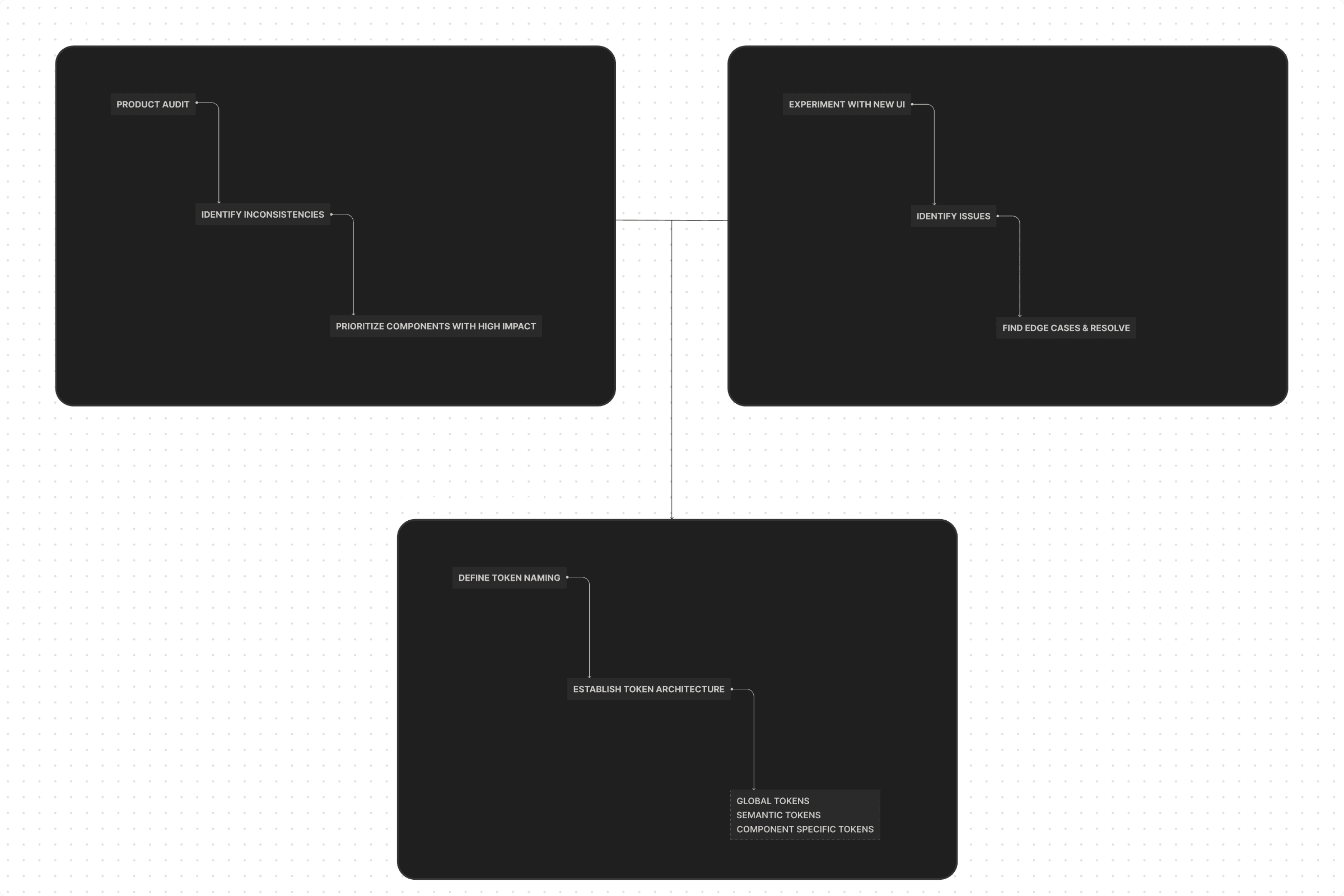
I didn't want to follow a cookie-cutter approach. Instead, I designed a process that matched Slate's specific needs and complexity. I started with an audit to find inconsistencies and figure out which components would have the biggest impact.
Foundations
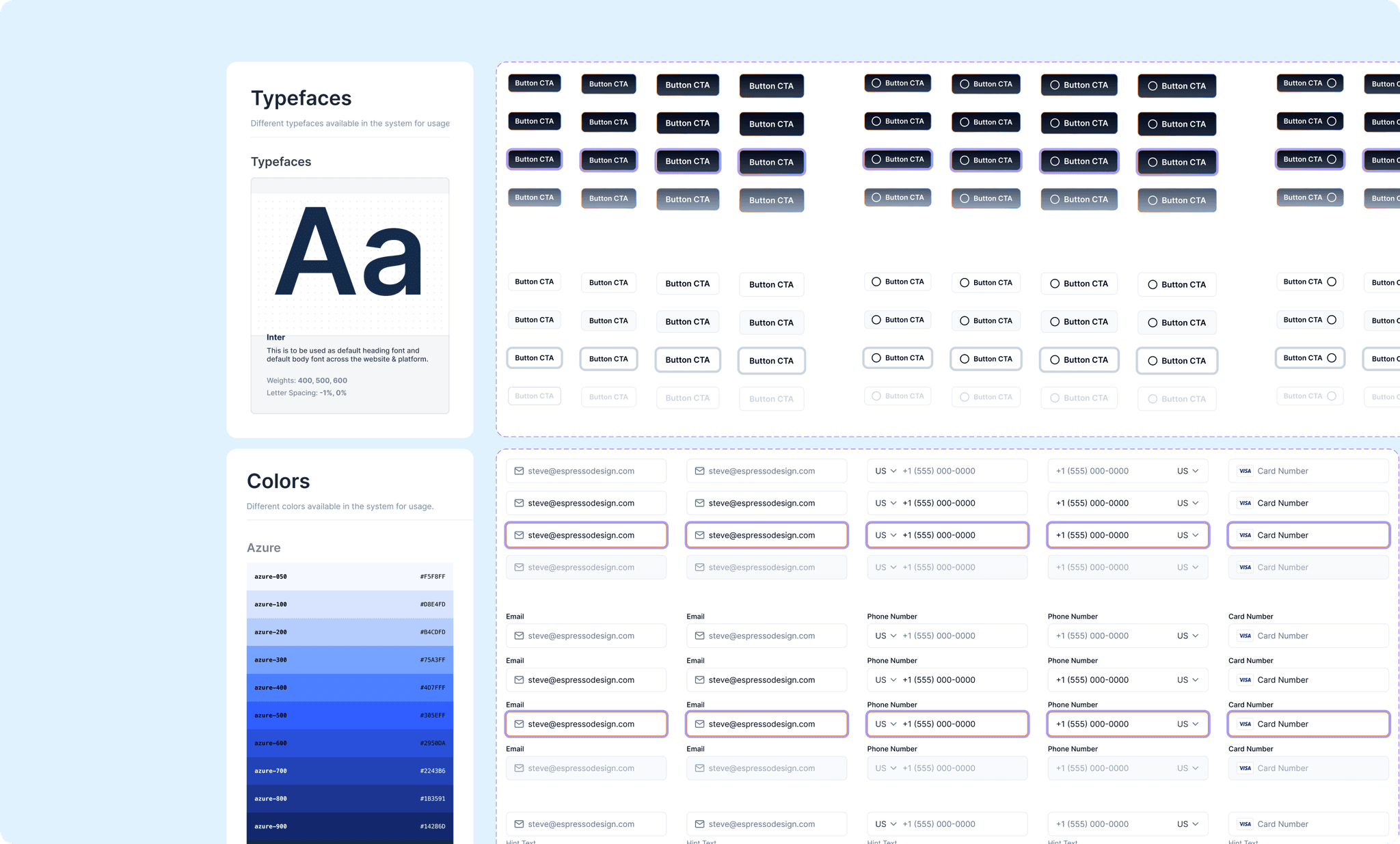
A strong system needs a strong base. I focused on defining the core foundations. Colors, typography, spacing, icons, radius, and shadows, to bring clarity, consistency, and control across the product. To build something scalable, I had to start from the ground up.
Colors
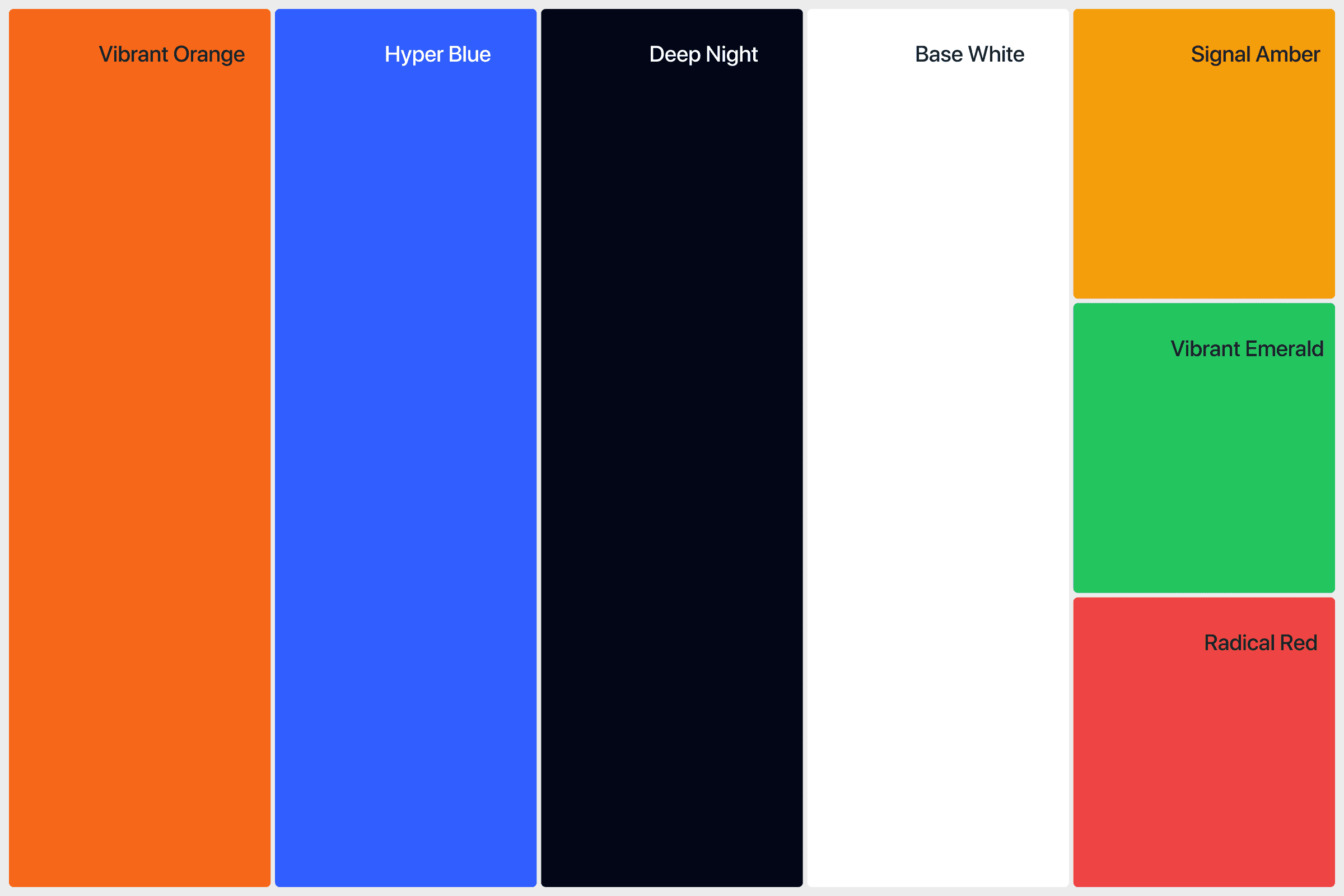
Colors were defined, but only at a surface level. There was no semantic structure, no component-specific guidance. I rebuilt the color system into something focused and scalable. One that actually aligned with the brand and made sense across different contexts.
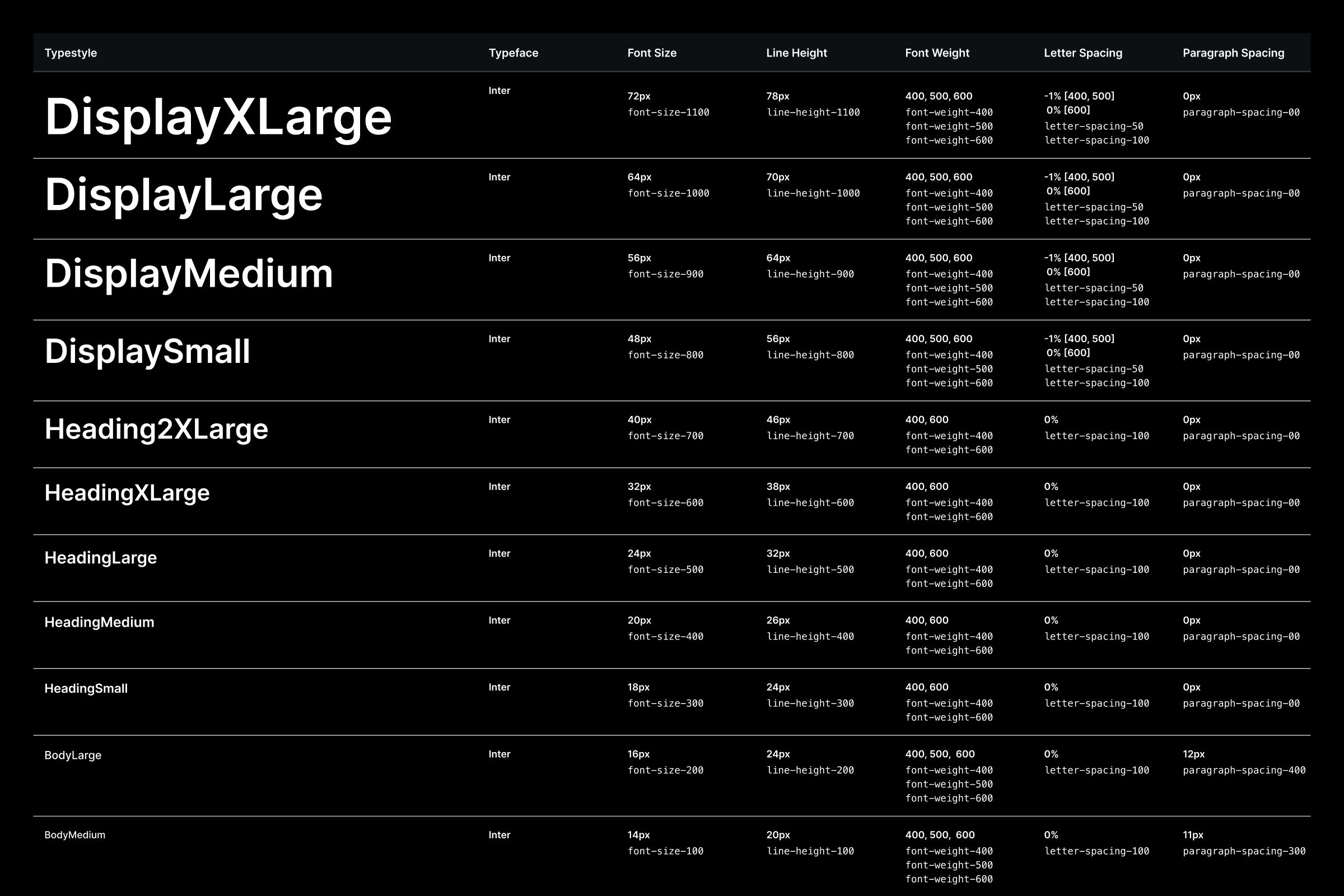
Typography
The existing typography wasn't enough, especially for a platform this text-heavy. I created a clear, scalable type system with consistent roles and hierarchy. This brought clarity, improved readability, and gave the product the visual consistency it was missing.
Corner Radius
Corner radius plays a key role in expressing the brand’s personality. Soft, bold, modern. It all comes through in those little curves. For Slate, I defined values that felt trustworthy and approachable, making sure every component visually aligned with the brand's personality.
Spacing
Slate is content-heavy, so spacing had to strike the right balance. Not too tight, not too loose. I defined spacing values that keep the interface clean and approachable without feeling cluttered or empty. The goal was to help users focus on what matters.
Icons
Every icon was crafted to fit its context while staying simple and lightweight. I went with stroked icons. They feel clean and subtle, never heavy.

Tokens
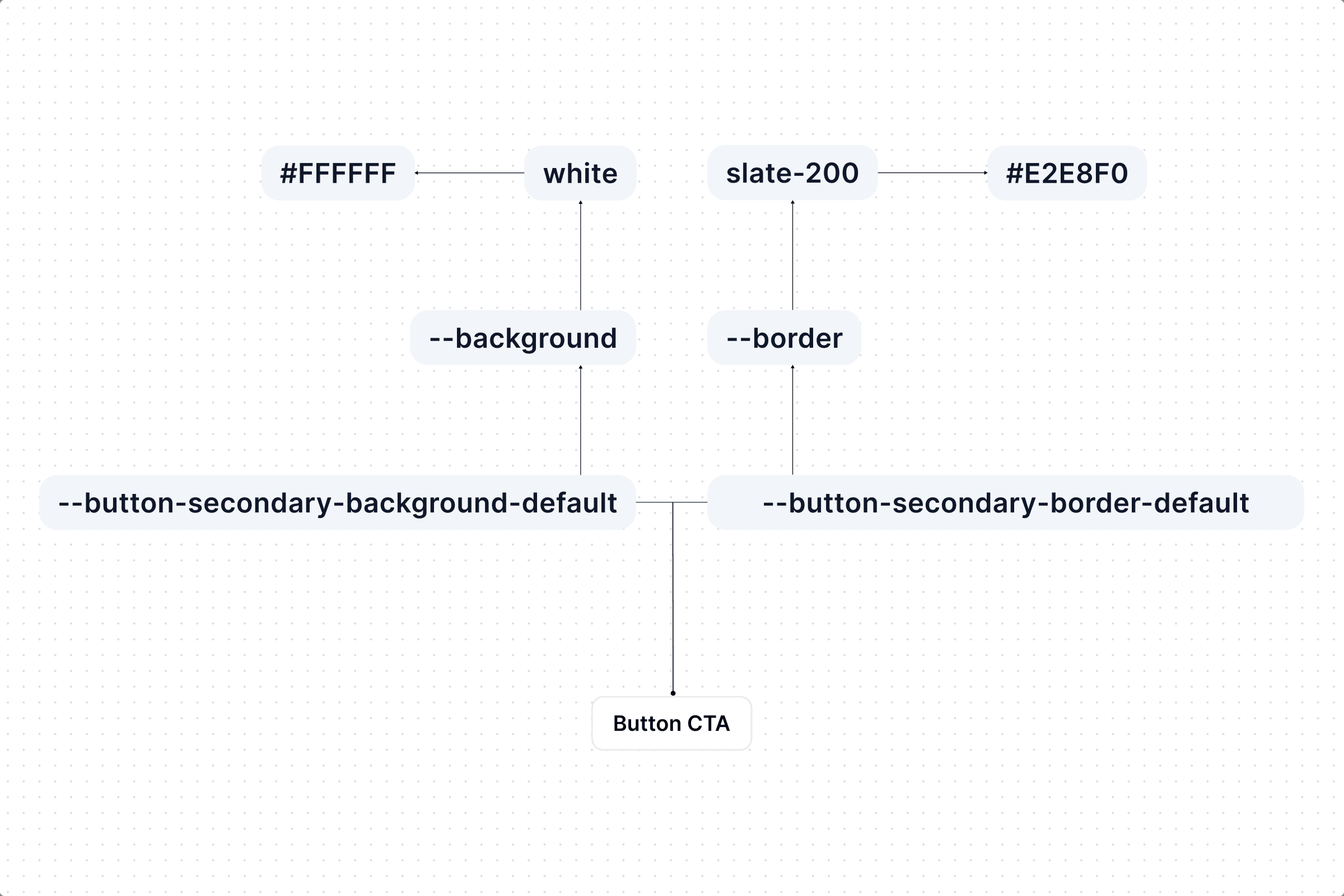
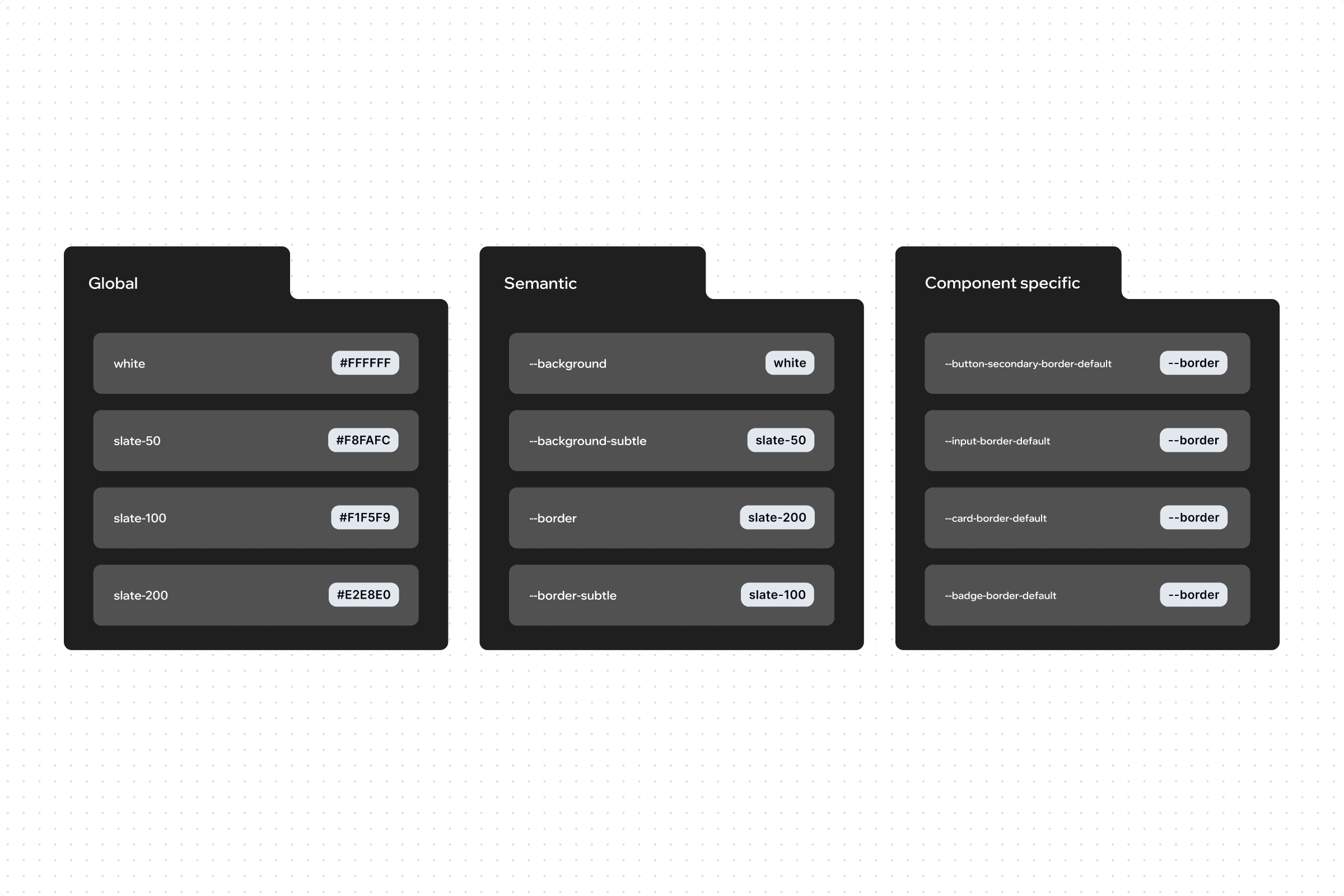
shadcn's tokens were only defined globally, which wasn't enough. I introduced design tokens to bring structure and context-awareness to the platform. Whether it's color, spacing, or typography, tokens ensure everything stays aligned as platform scales.
The Three-Tier Token System
As the platform grew, keeping design consistent became harder. A flat token structure couldn't handle the complexity, especially with component-level overrides.
So I implemented a three-tier token system. It separates foundational values from context and usage, giving us better control, easier theming, and a more scalable way for design and development to collaborate.
Design-Dev Token Pipeline
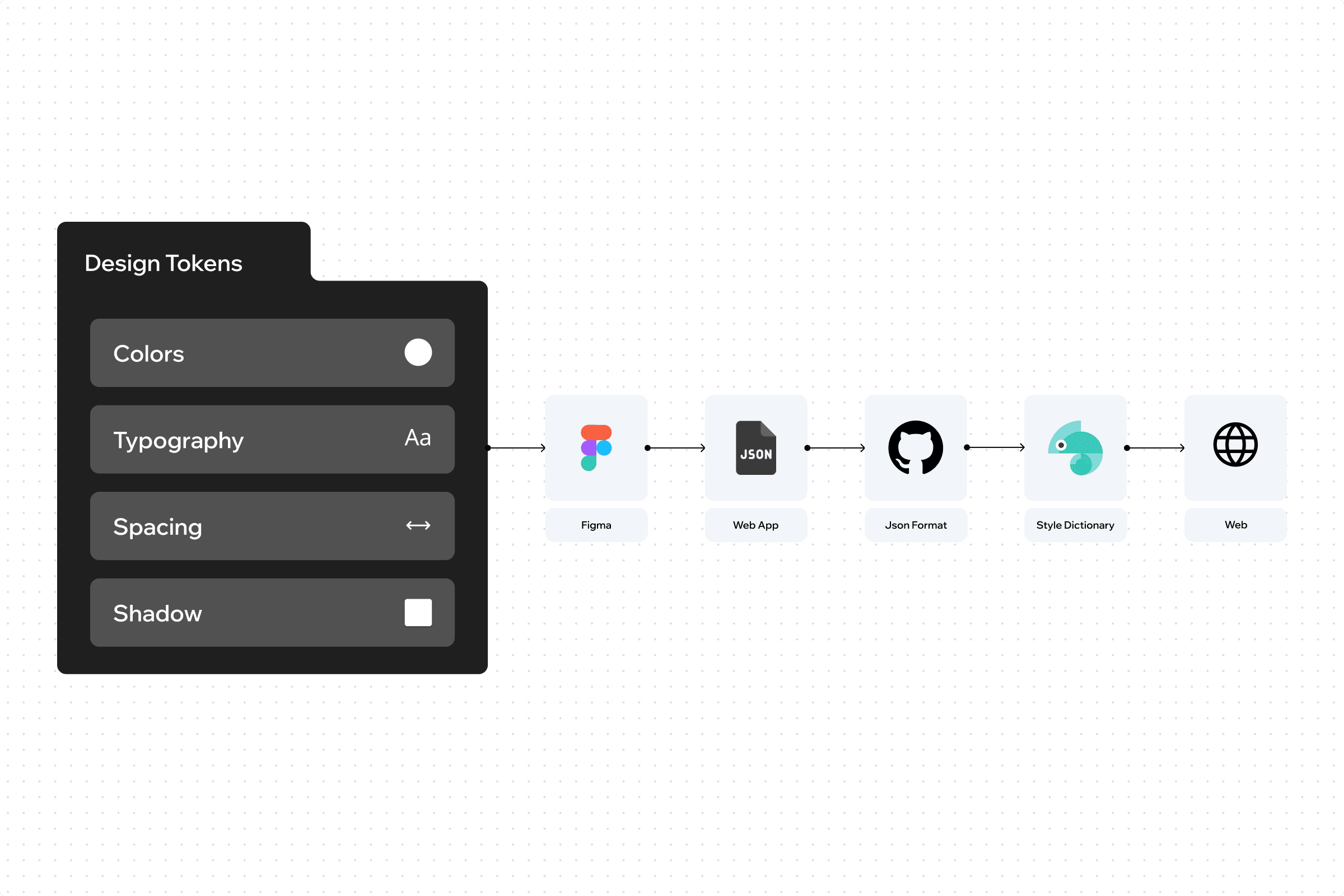
Tokens can't just live in design files. They need to reach the codebase. So I built a pipeline. Here's how it works. Design tokens are defined in Figma, exported as JSON, version-controlled through GitHub, and transformed using Style Dictionary into platform-specific outputs. This keeps design and code in sync, speeds up implementation, and cuts down on inconsistencies across platforms.
Design-Dev Sync
I created a Design–Dev Sync Hub as the single source of truth for every component. It covers everything. What the component is, its variants and states, how tokens are applied, usage guidelines, and a space for ongoing feedback and collaboration.